
Pre-Winter Sale Limited Time 75% Discount Offer - Ends in 0d 00h 00m 00s - Coupon code = simple75
Pass the IT Specialist Information Technology Specialist INF-306 Questions and answers with Dumpstech
Exam INF-306 Premium Access
View all detail and faqs for the INF-306 exam
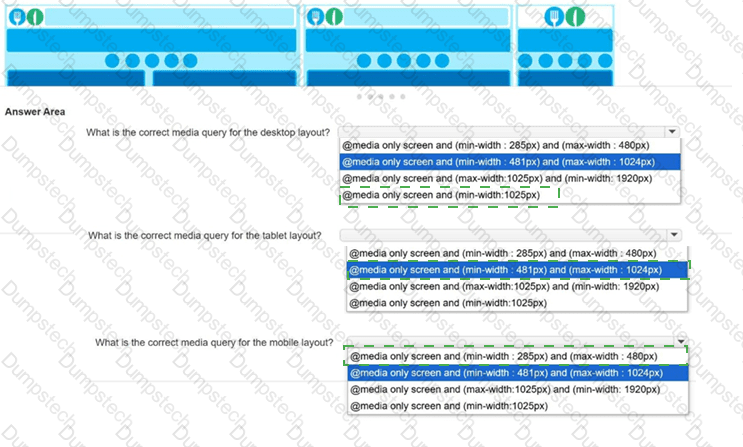
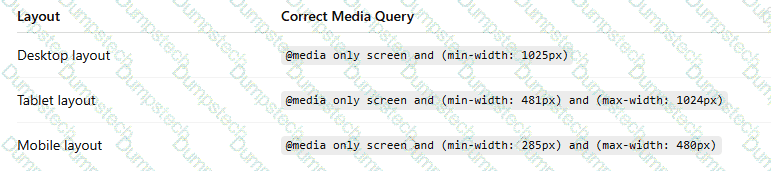
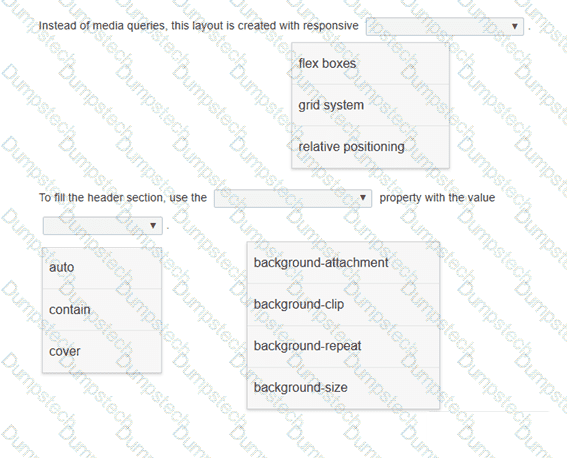
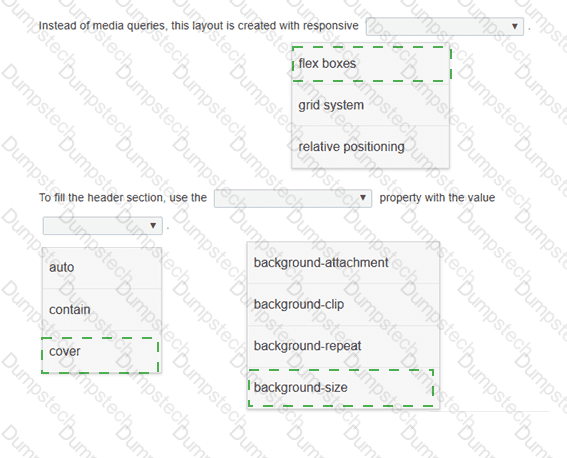
You need to implement media queries for the responsive layout of a new website.
Low-resolution wireframes for the desktop, tablet, and mobile layouts are shown.
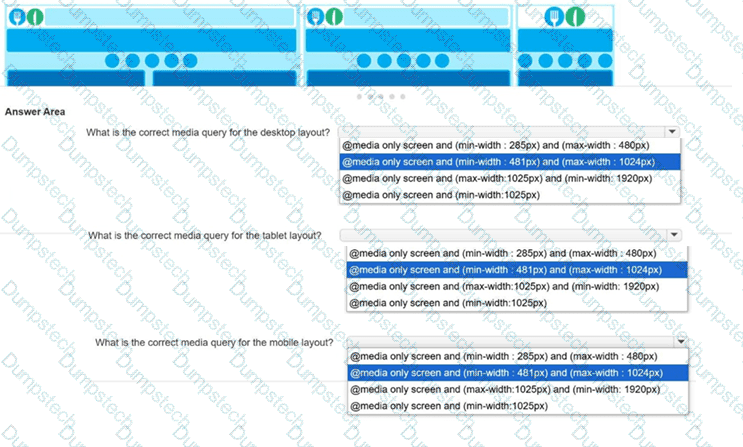
The following two images show a web page that uses a responsive layout displayed on a mobile device and on a PC.
Displayed on a mobile device:
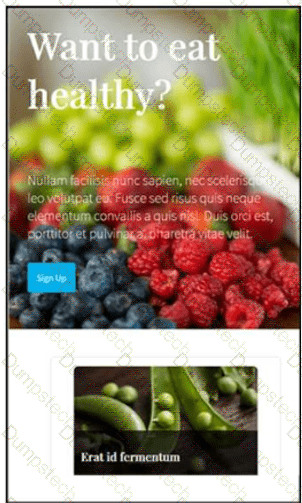
The layout stacks the content vertically.
Displayed on a computer monitor:
The layout displays the content cards horizontally in multiple columns.
Review the images on the left.
Complete the statements by selecting the correct option from each drop-down list.
You are drawing on the canvas defined by the white square.
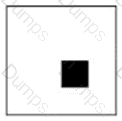
At which x, y coordinate is the upper-left corner of the filled square?
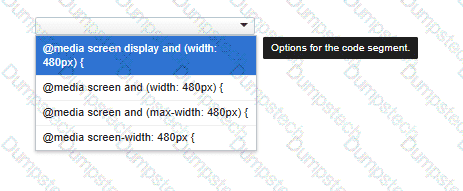
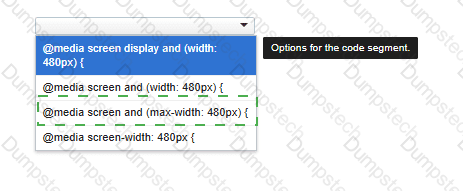
You need to correctly apply a style rule for screen devices with a width of 480 pixels or less.
Complete the code by selecting the correct option from the drop-down list.
The development team just released a new version of an app for your team to test. Which three tasks should you perform during testing? Choose 3.
Review the grid container requirements and mockup on the left. Which markup should you use to define the grid container?
You are creating a form that requires the category to be entered as a two- or three-letter abbreviation. The input is mandatory.
You need to configure the input validation for the form.
Complete the markup by typing into the boxes.
Note: You will receive partial credit for each correct answer.

Which two statements correctly describe media queries? Choose 2.
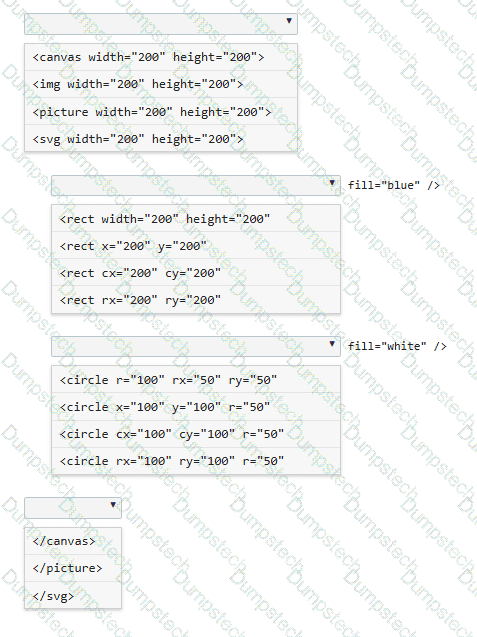
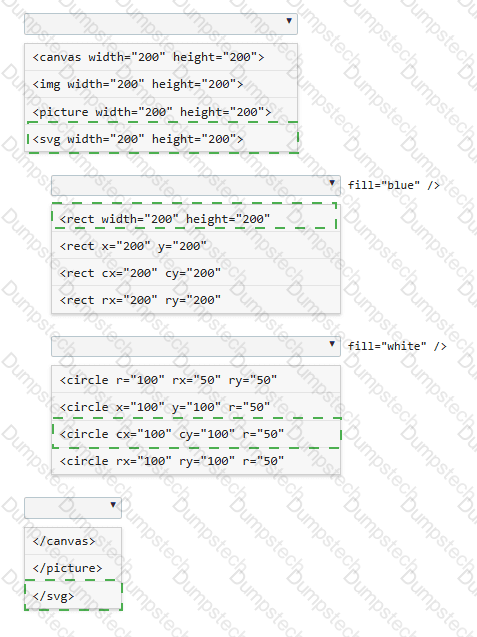
You need to draw a blue rectangle that meets these conditions:
• It is 200 by 200 pixels.
• It contains a white circle that is centered within the rectangle.
• The circle has a 50-pixel radius.
• The image should appear as follows: a blue square with a centered white circle.
Refer to the image on the left.
You need to ensure that the image scales without distortion when the page is resized. You must not be required to use JavaScript.
Complete the code by selecting the correct option from each drop-down list.
Note: You will receive partial credit for each correct selection.
Which markup segment creates an SVG ellipse?
