
Pre-Winter Sale Limited Time 75% Discount Offer - Ends in 0d 00h 00m 00s - Coupon code = simple75
Pass the CompTIA A+ 220-1202 Questions and answers with Dumpstech
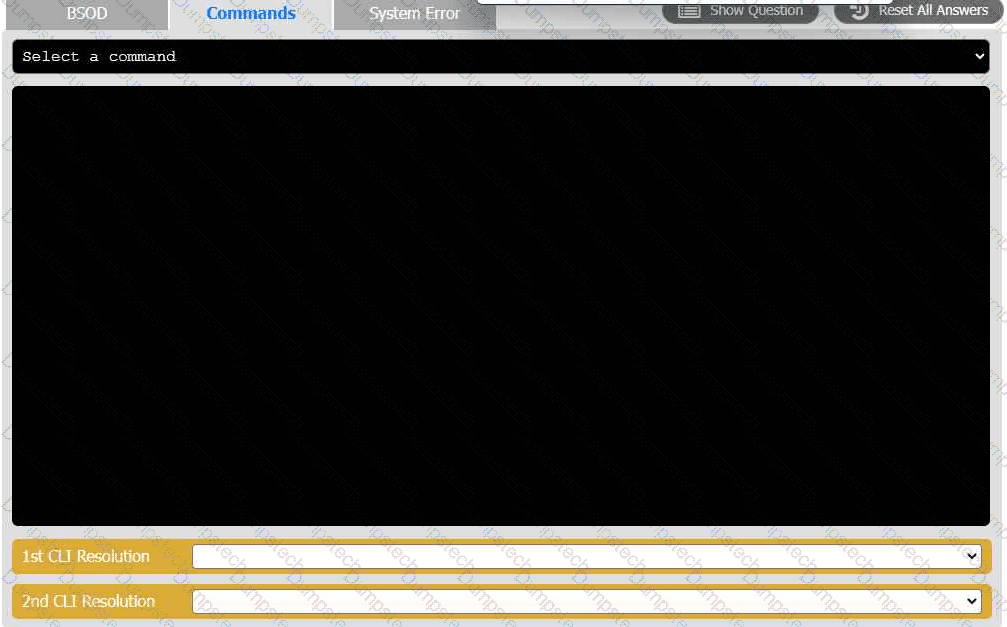
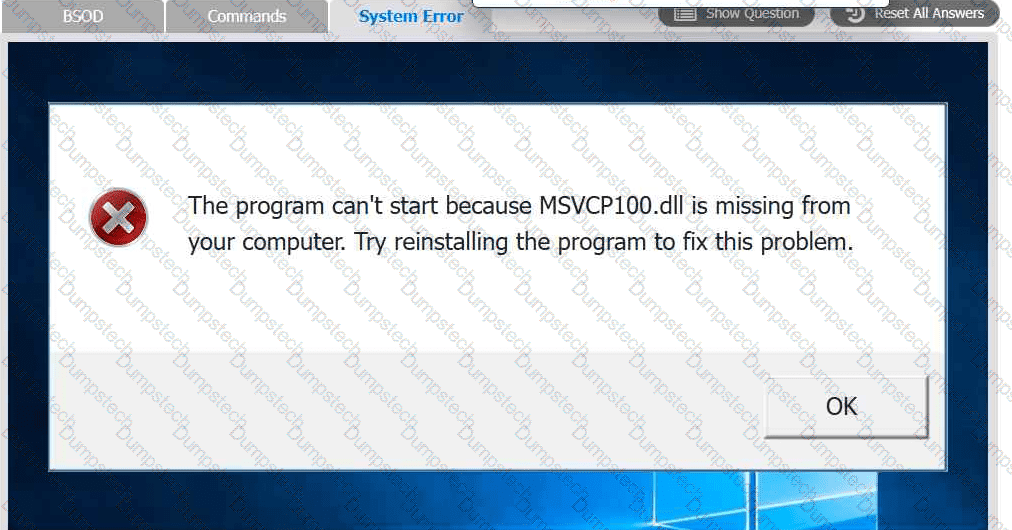
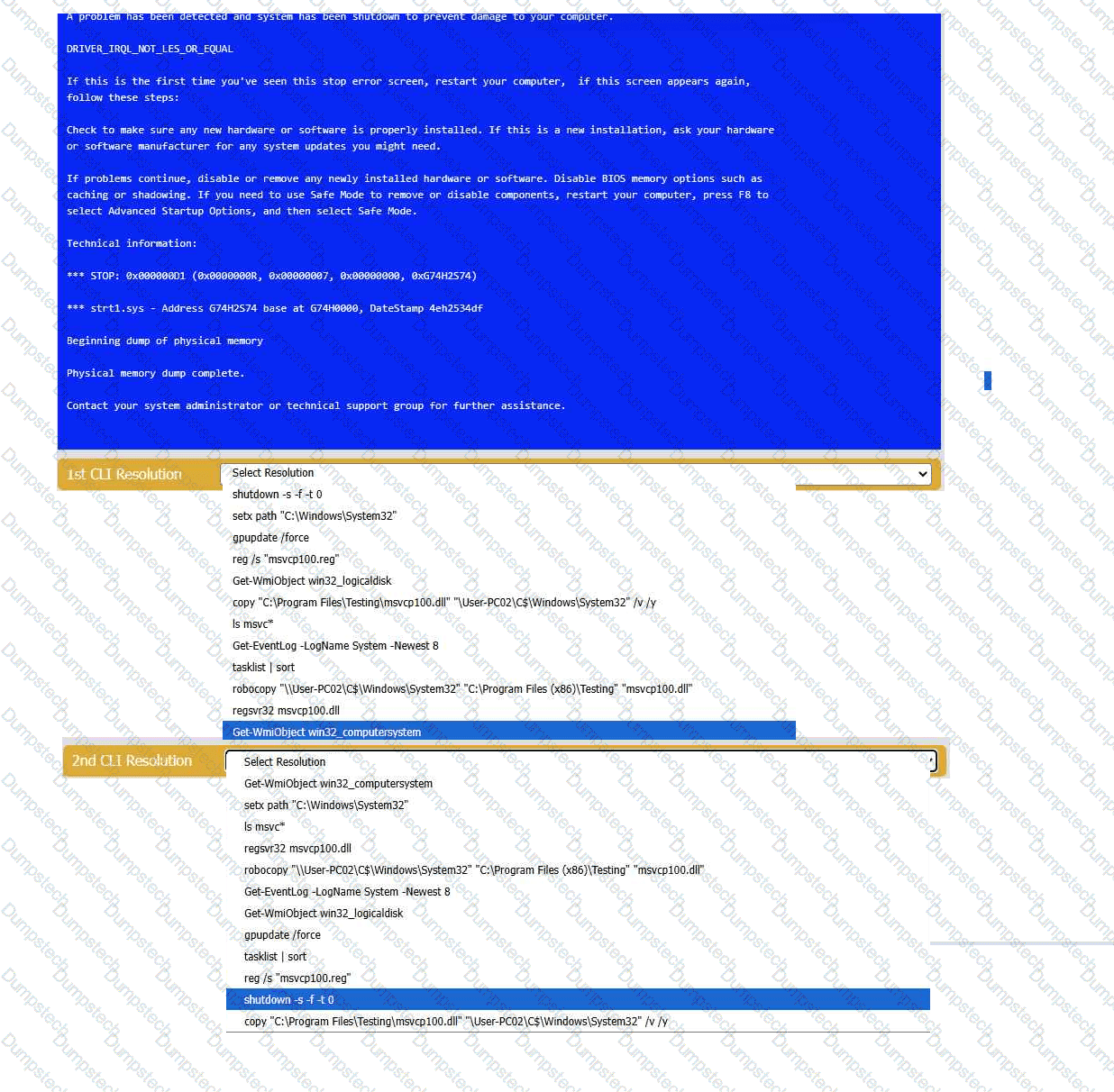
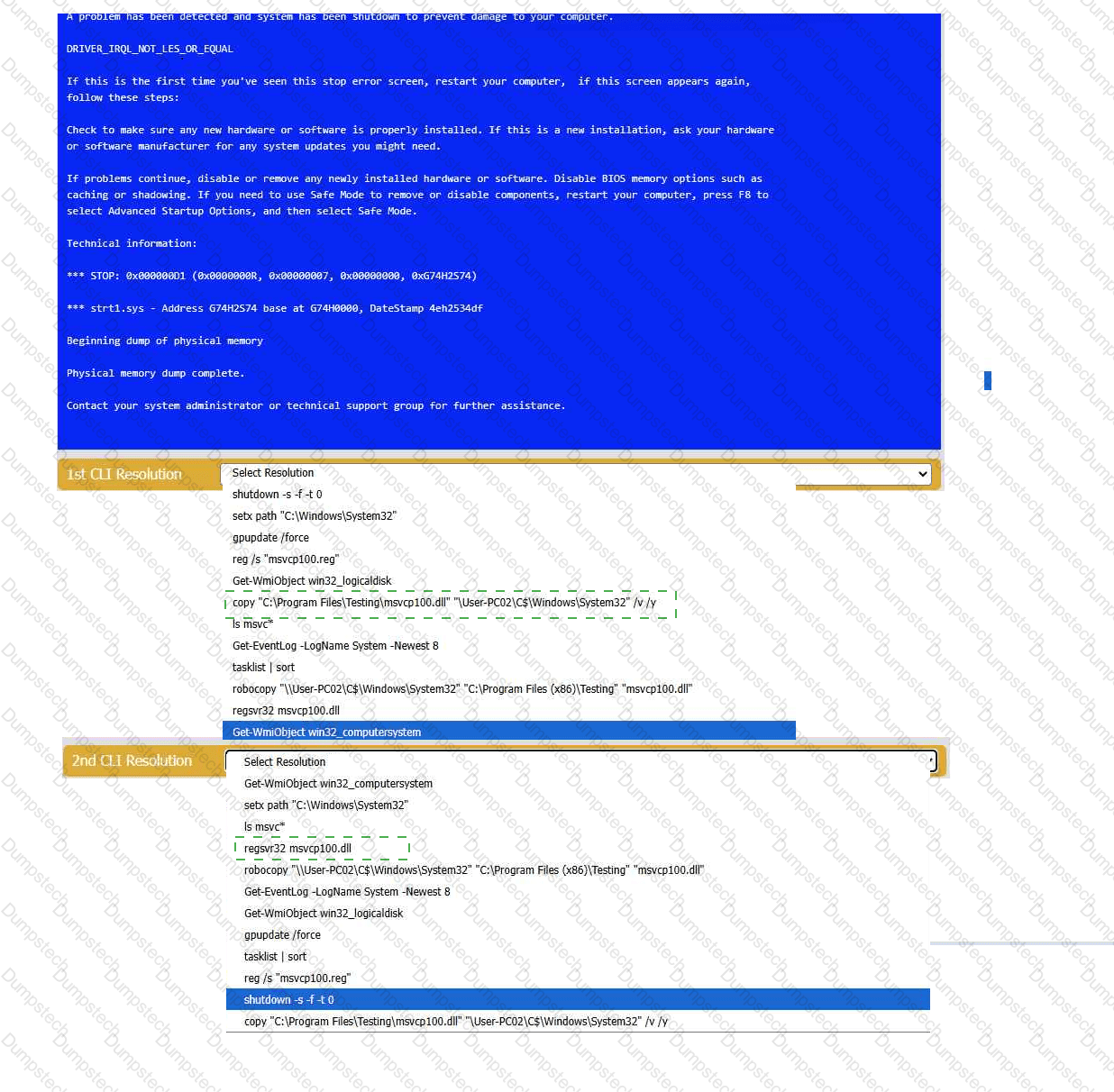
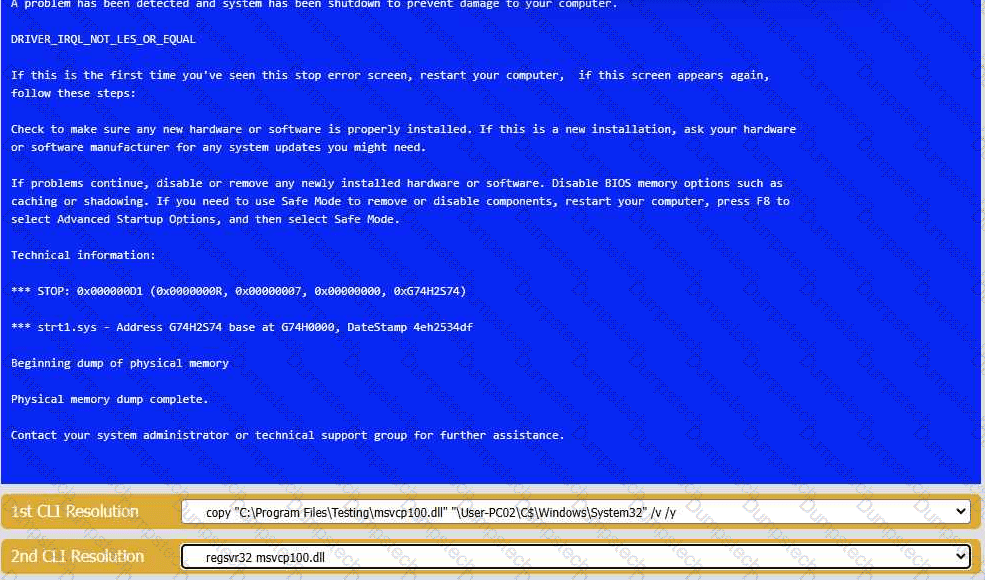
A user reports that after a recent software deployment to upgrade the Testing application, they can no longer use it. However, other employees can successfully
use the Testing program.
INSTRUCTIONS
Review the information in each tab to verify the results of the deployment and resolve
any issues discovered by selecting the:
· First command to resolve the issue
· Second command to resolve the issue
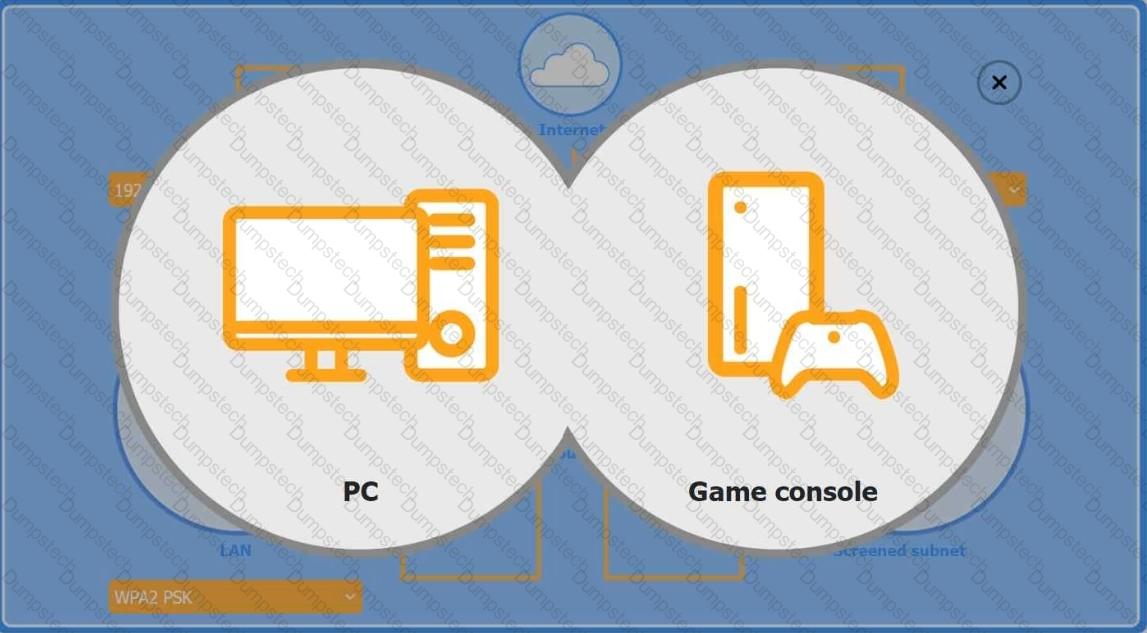
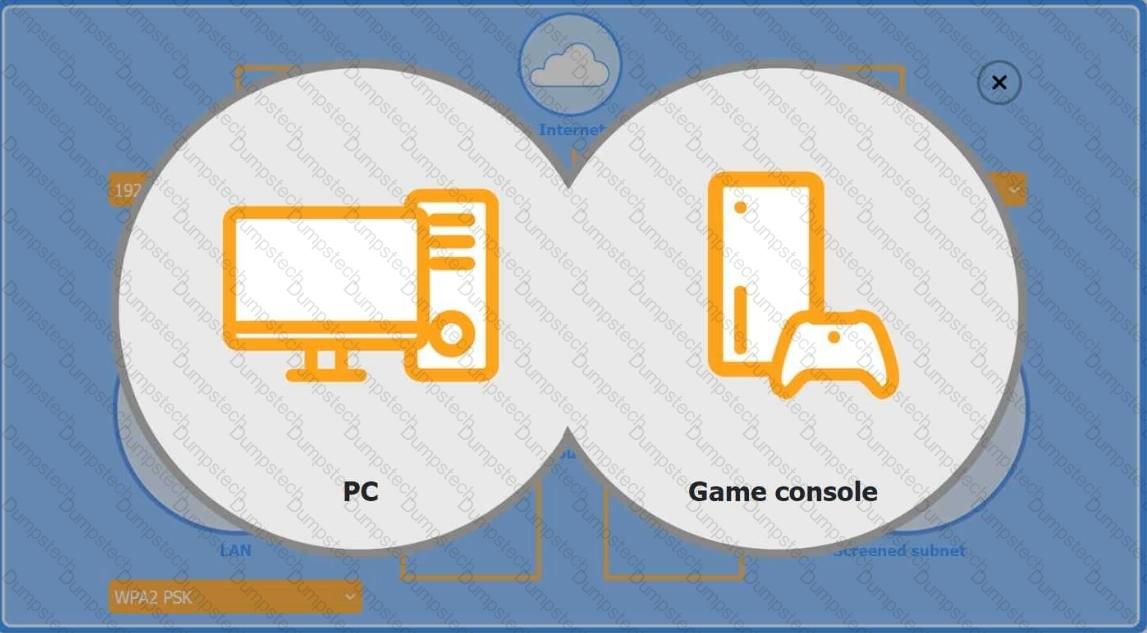
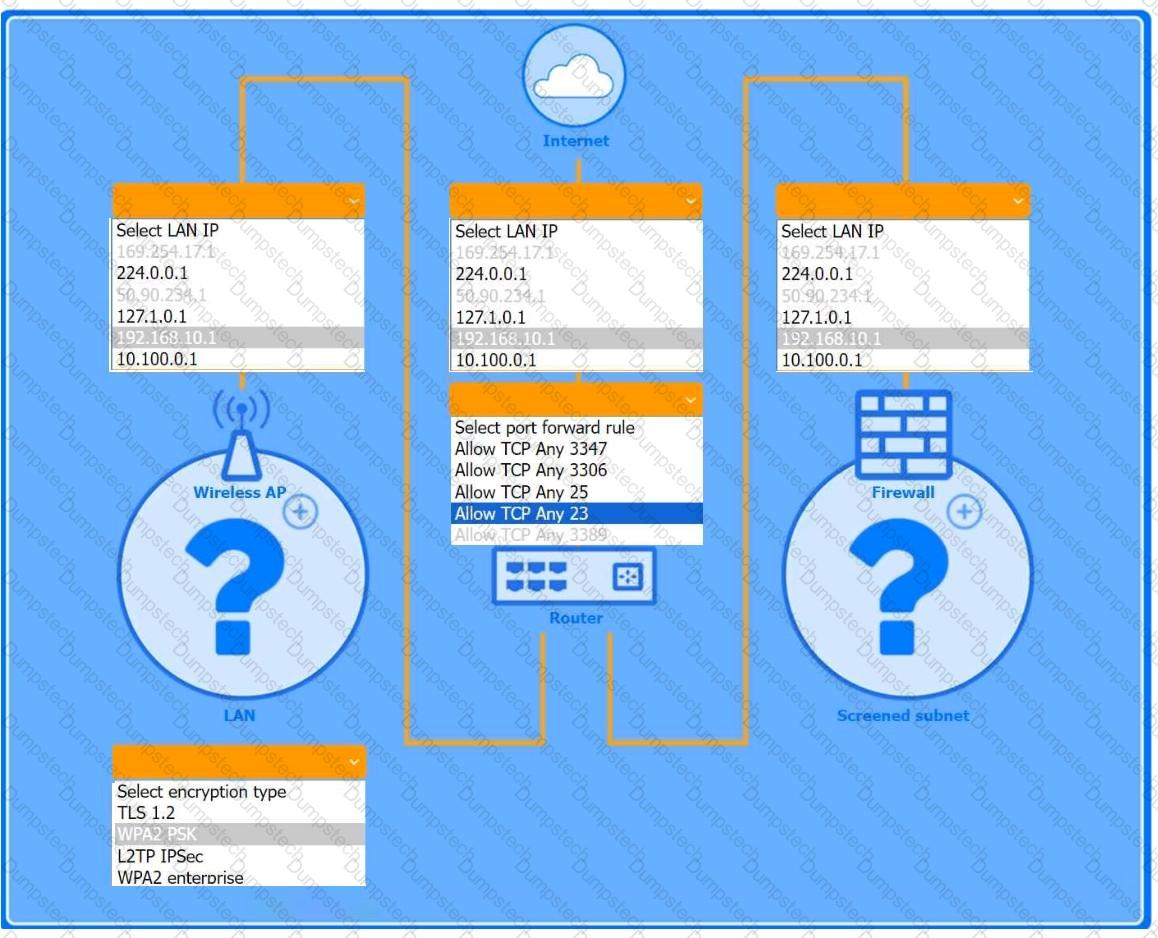
You are configuring a home network for a customer. The customer has requested the ability to access a Windows PC remotely, and needs all chat and optional functions to work in their game console.
INSTRUCTIONS
Use the drop-down menus to complete the network configuration for the customer. Each option may only be used once, and not all options will be used.
Then, click the + sign to place each device in its appropriate location.
If at any time you would like to bring back the initial state of the simulation, please click the Reset All button.
Wireless AP LAN
Firewall Screened Subnet
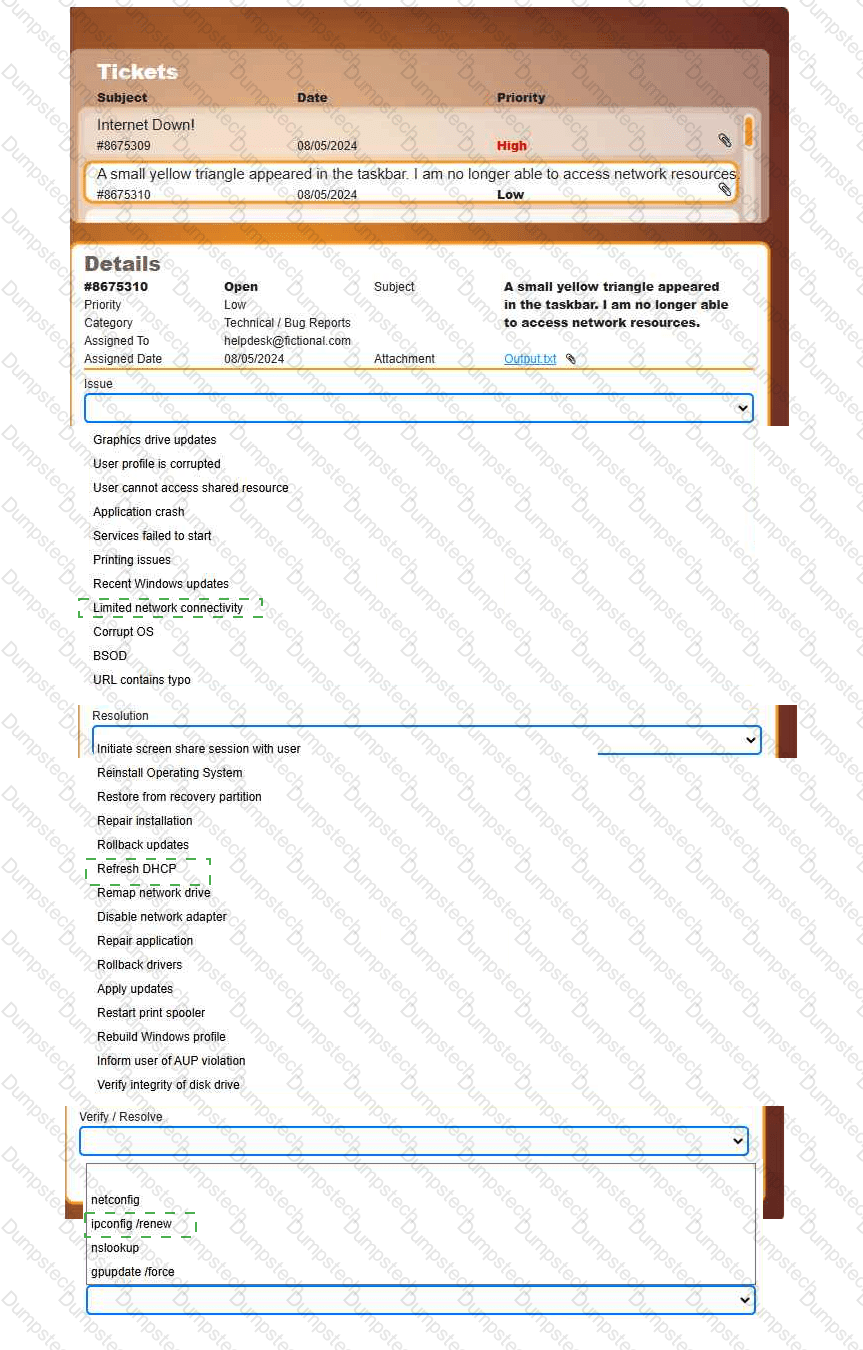
Welcome to your first day as a Fictional Company, LLC helpdesk employee. Please work the tickets in your helpdesk ticket queue.
INSTRUCTIONS
Click on individual tickets to see the ticket details, and view applicable attachments to
determine the problem.
Select the appropriate issue from the 'Issue' drop-down menu. Then, select the most
efficient resolution from the 'Resolution' drop-down menu. Finally, select the proper
command or verification to remediate or confirm your fix of the issue from the
'Verify/Resolve' drop-down menu.
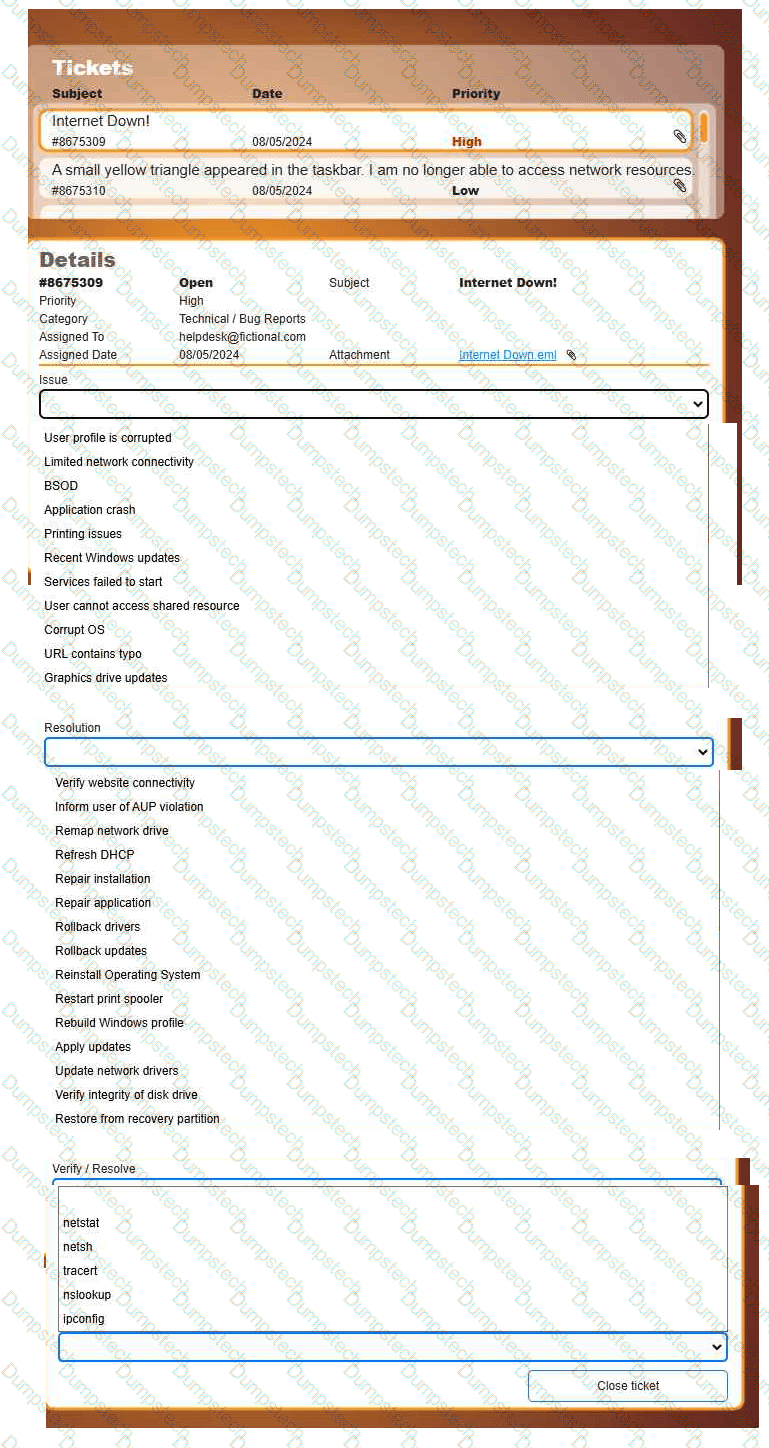
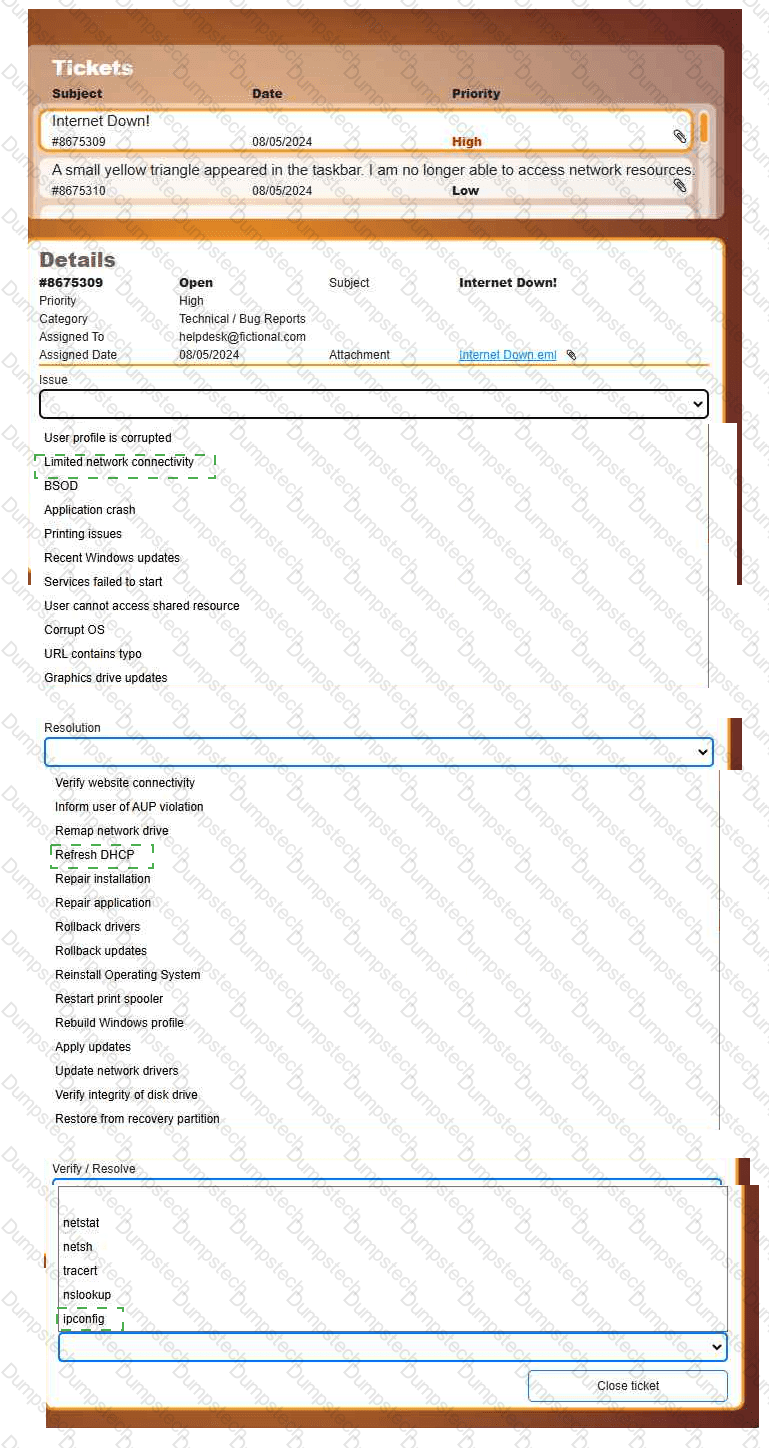
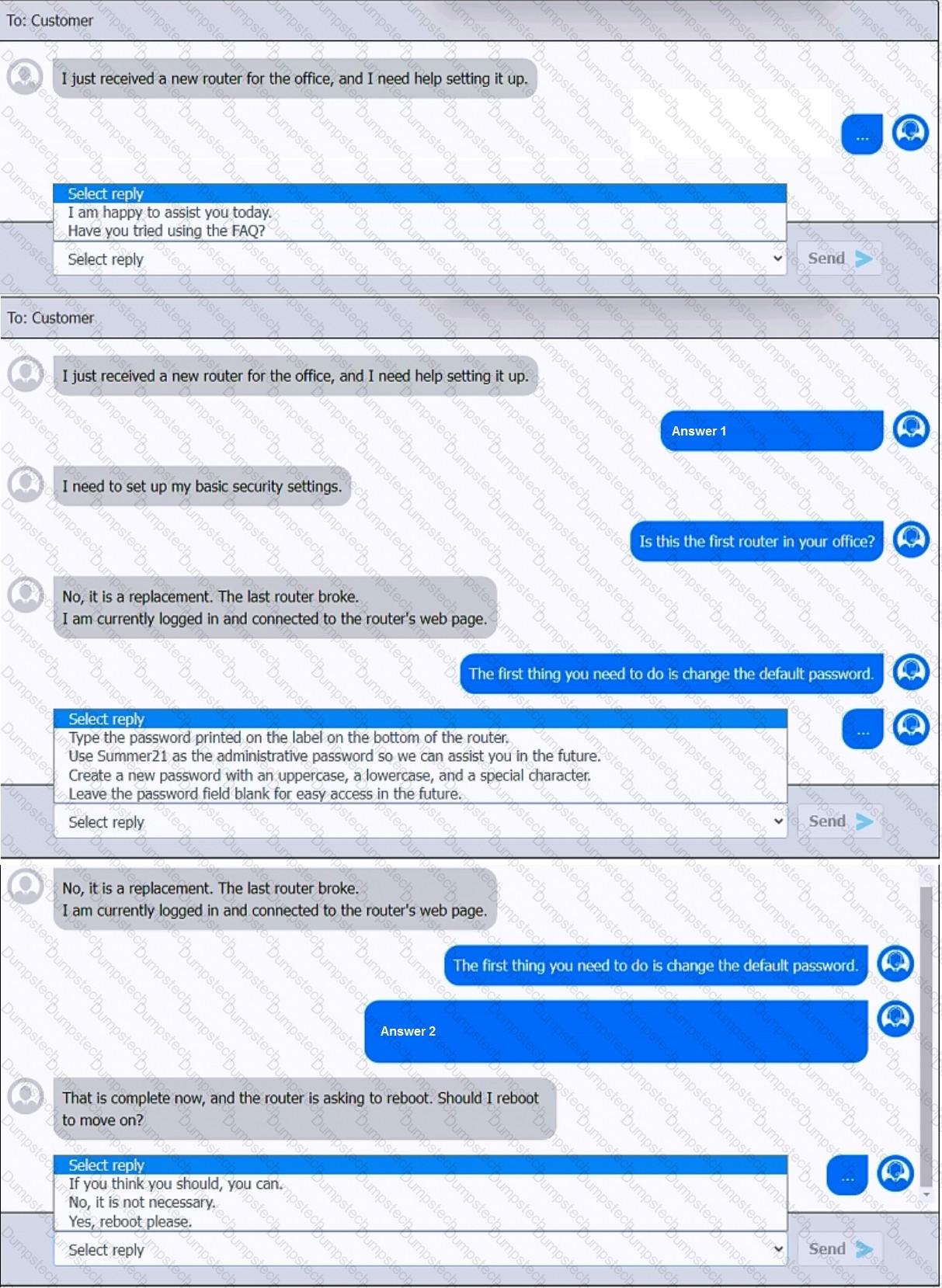
You have been contacted through the help desk chat application. A user is setting up a replacement SOHO router. Assist the user with setting up the router.
INSTRUCTIONS
Select the most appropriate statement for each response. Click the send button after each response to continue the chat.
If at any time you would like to bring back the initial state of the simulation, please click the Reset All button.
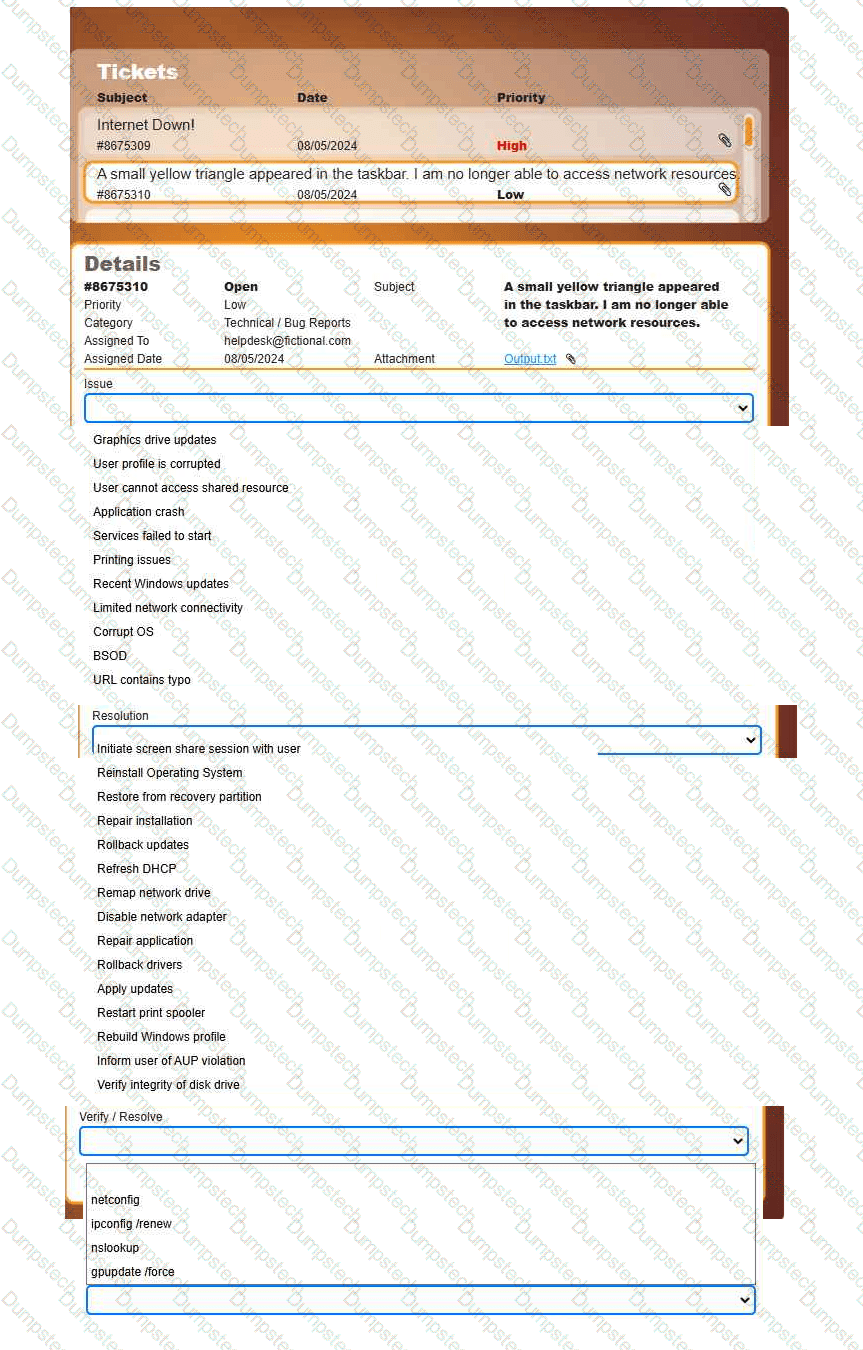
Welcome to your first day as a Fictional Company, LLC helpdesk employee. Please work the tickets in your helpdesk ticket queue.
INSTRUCTIONS
Click on individual tickets to see the ticket details, and view applicable attachments to
determine the problem.
Select the appropriate issue from the 'Issue' drop-down menu. Then, select the most
efficient resolution from the 'Resolution' drop-down menu. Finally, select the proper
command or verification to remediate or confirm your fix of the issue from the
'Verify/Resolve' drop-down menu.
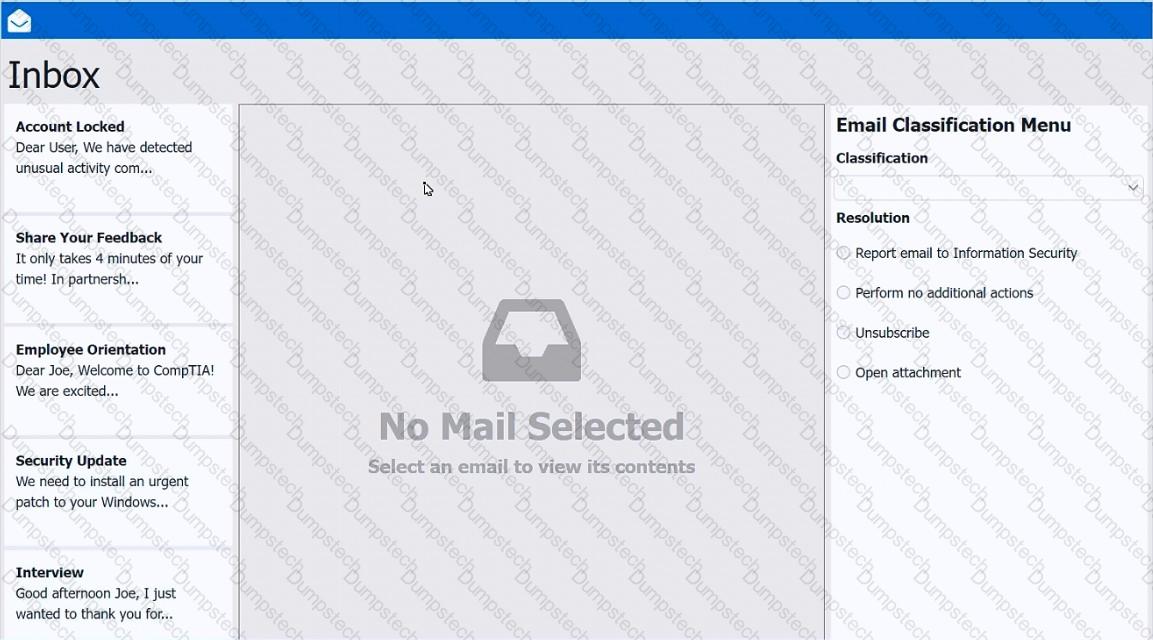
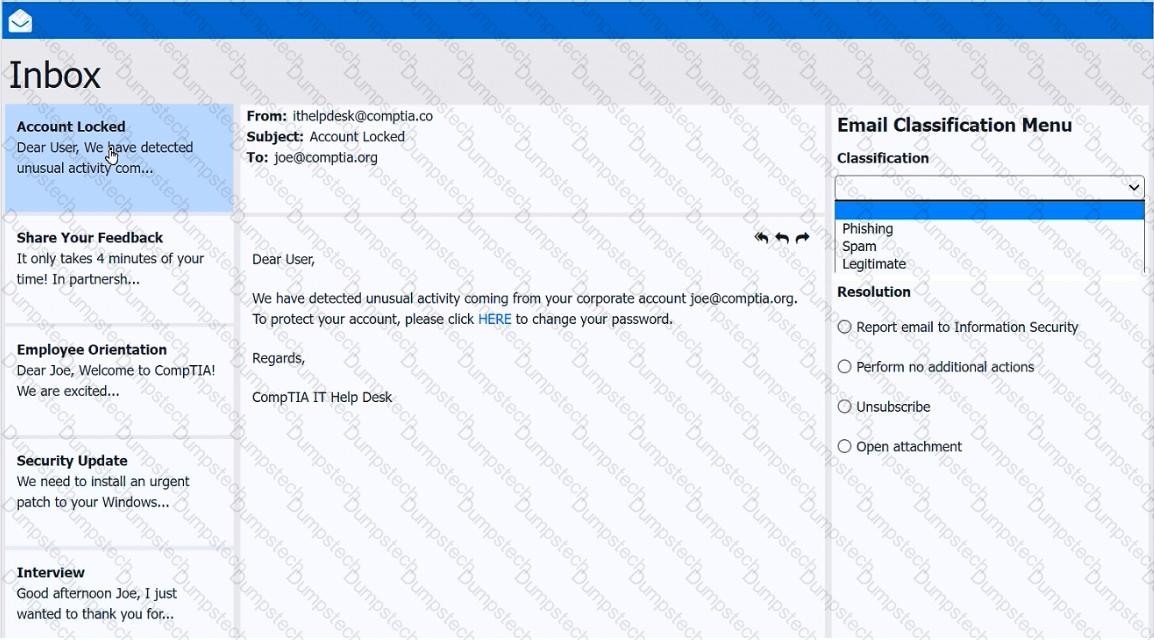
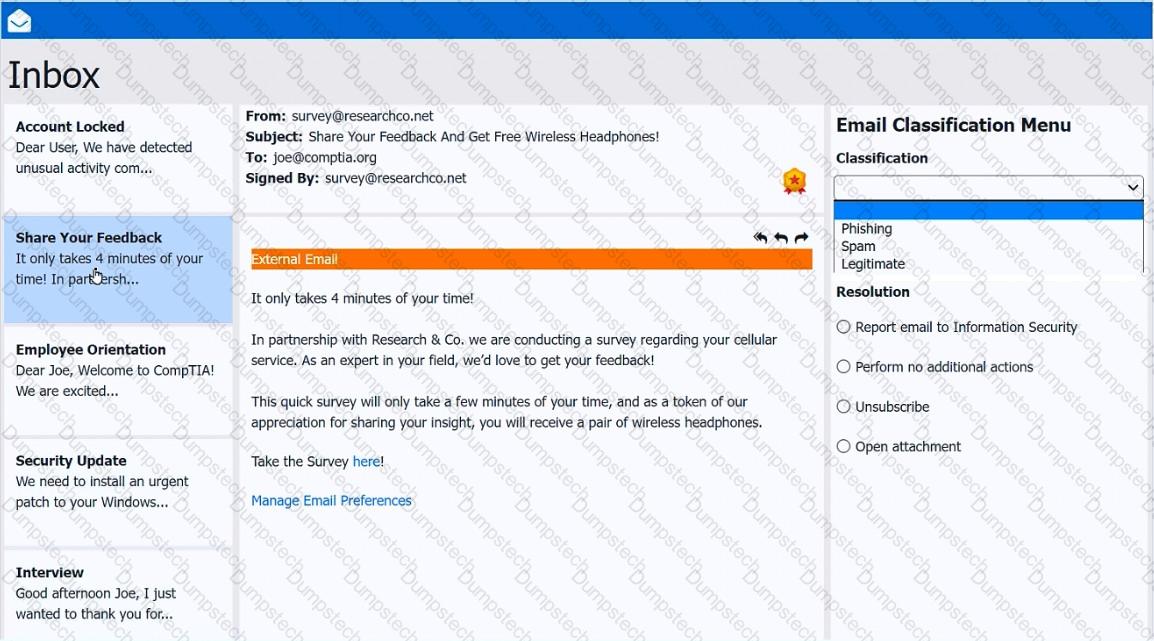
As a corporate technician, you are asked to evaluate several suspect email messages on a client's computer. Corporate policy requires the following:
>All phishing attempts must be reported.
>Future spam emails to users must be prevented.
INSTRUCTIONS
Review each email and perform the following within the email:
>Classify the emails
>Identify suspicious items, if applicable, in each email
>Select the appropriate resolution
If at any time you would like to bring back the initial state of the simulation, please click the Reset All button.
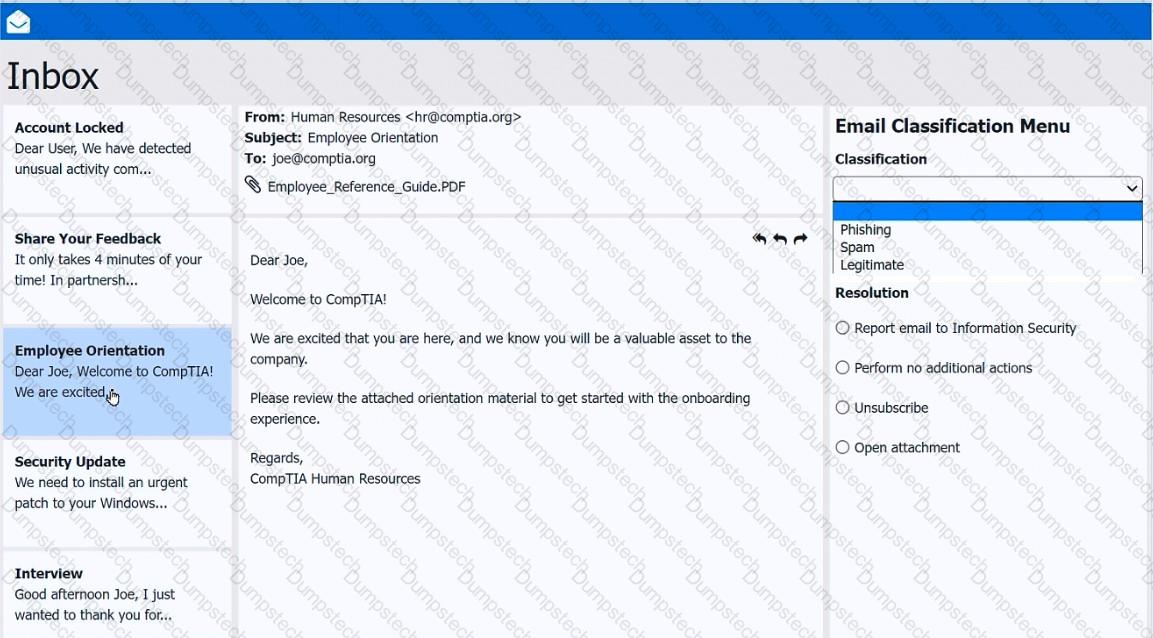
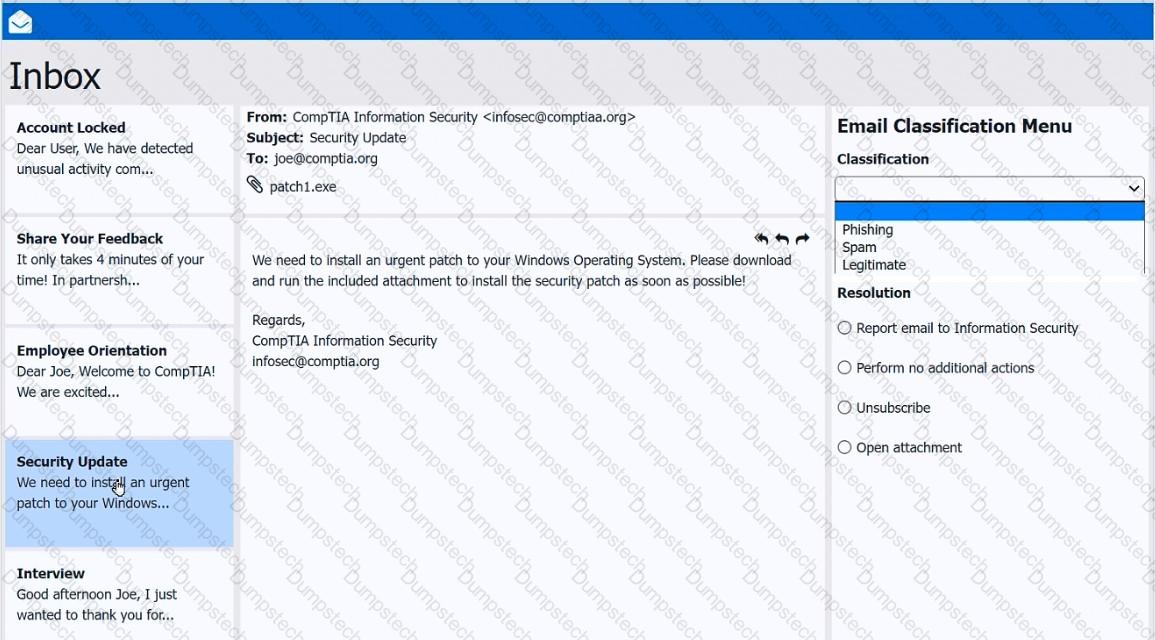
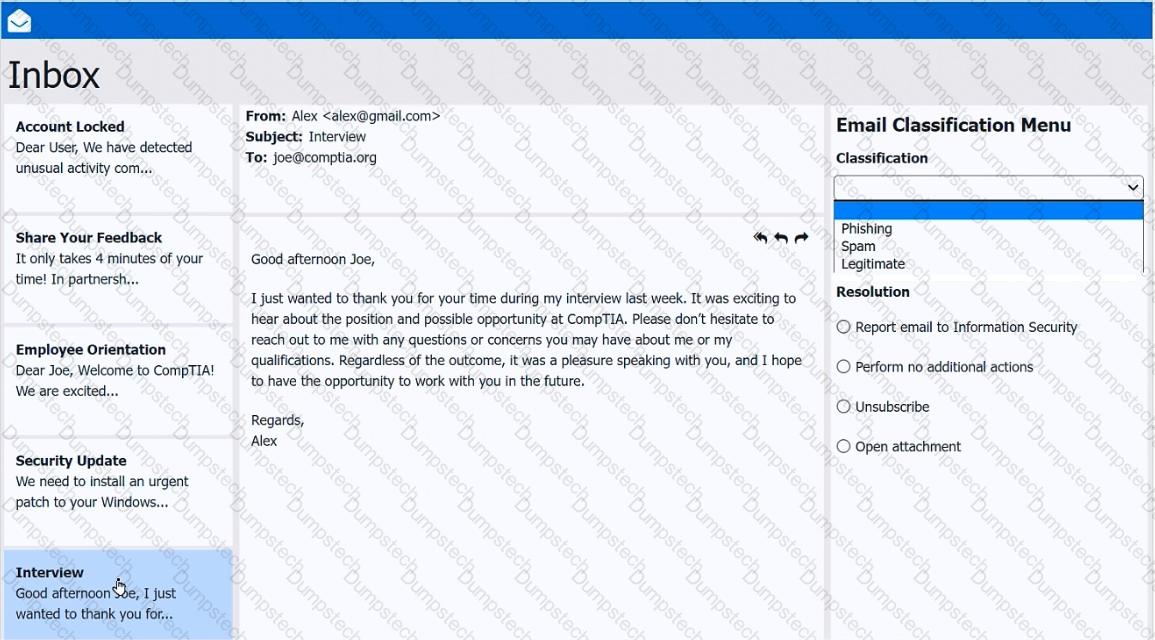
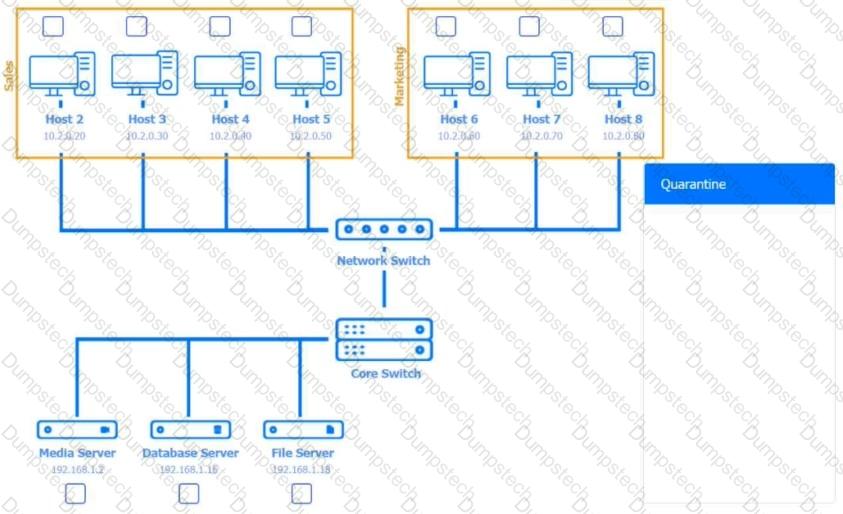
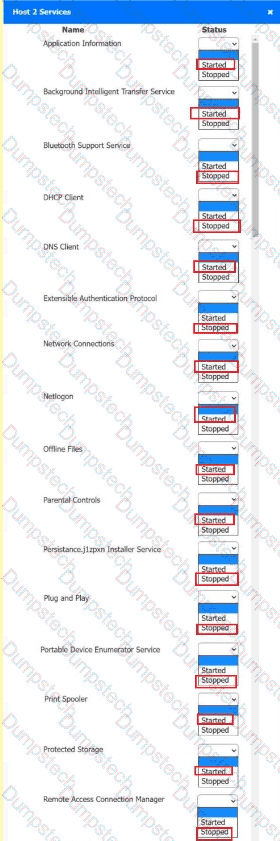
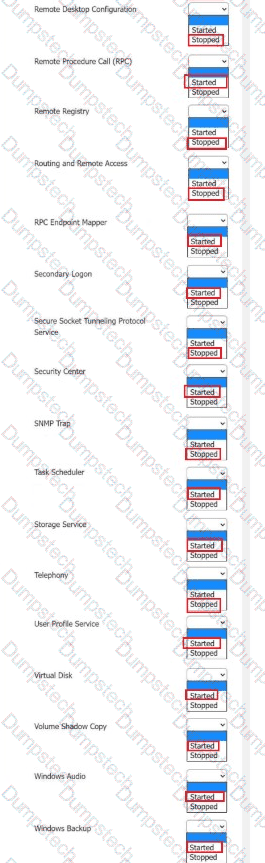
Multiple users are reporting audio issues as well as performance issues after downloading unauthorized software. You have been dispatched to identify and resolve any issues on the network using best practice procedures.
INSTRUCTIONS
Quarantine and configure the appropriate device(s) so that the users’ audio issues are resolved using best practice procedures.
Multiple devices may be selected for quarantine.
Click on a host or server to configure services.
If at any time you would like to bring back the initial state of the simulation, please click the Reset All button.










 A screenshot of a computer AI-generated content may be incorrect.
 A screenshot of a computer AI-generated content may be incorrect.
Which of the following methods would make data unrecoverable but allow the drive to be repurposed?
A help desk support technician needs to ensure that the documentation for a software deployment is up to date. The documentation must also include all necessary information for future troubleshooting. Which of the following should the technician include?
Various alerts on a user's Windows 11 laptop are continually interrupting the user during videoconference calls. Which of the following should a support technician recommend to best solve the issue?
