
Winter Sale Limited Time 75% Discount Offer - Ends in 0d 00h 00m 00s - Coupon code = simple75
Pass the Microsoft GitHub Administrator GH-600 Questions and answers with Dumpstech
Exam GH-600 Premium Access
View all detail and faqs for the GH-600 exam
You need to resolve the scoping issue associated to agent1.
What should you do?
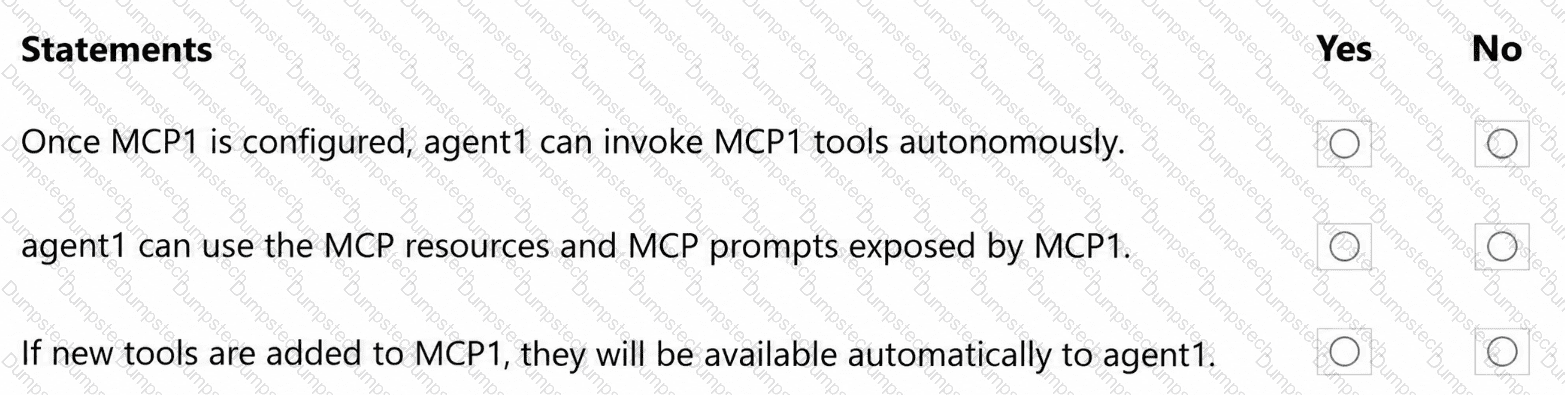
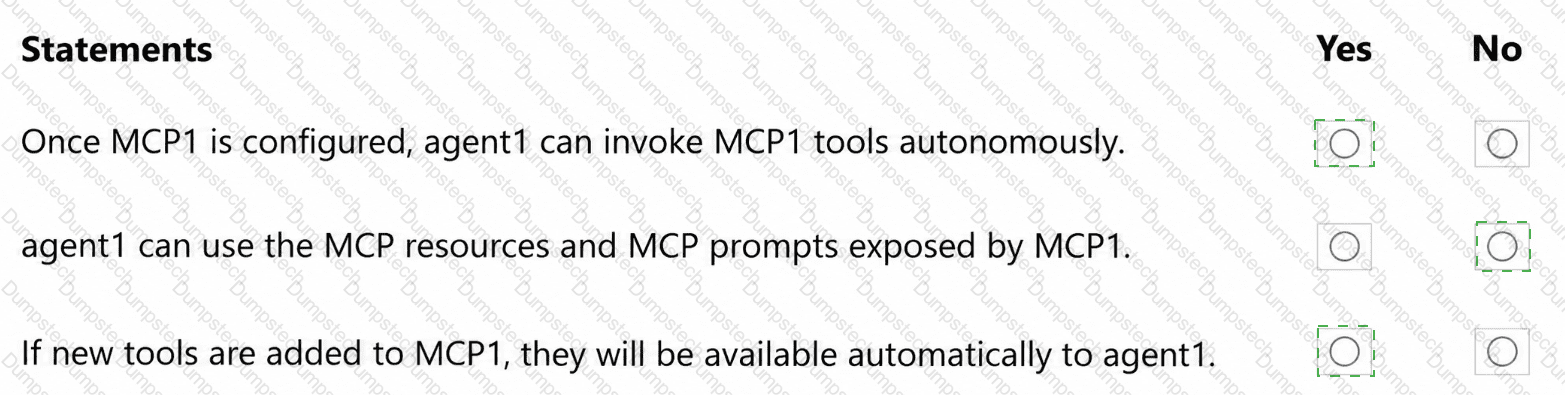
You are evaluating how agent1 will behave after you implement the planned changes.
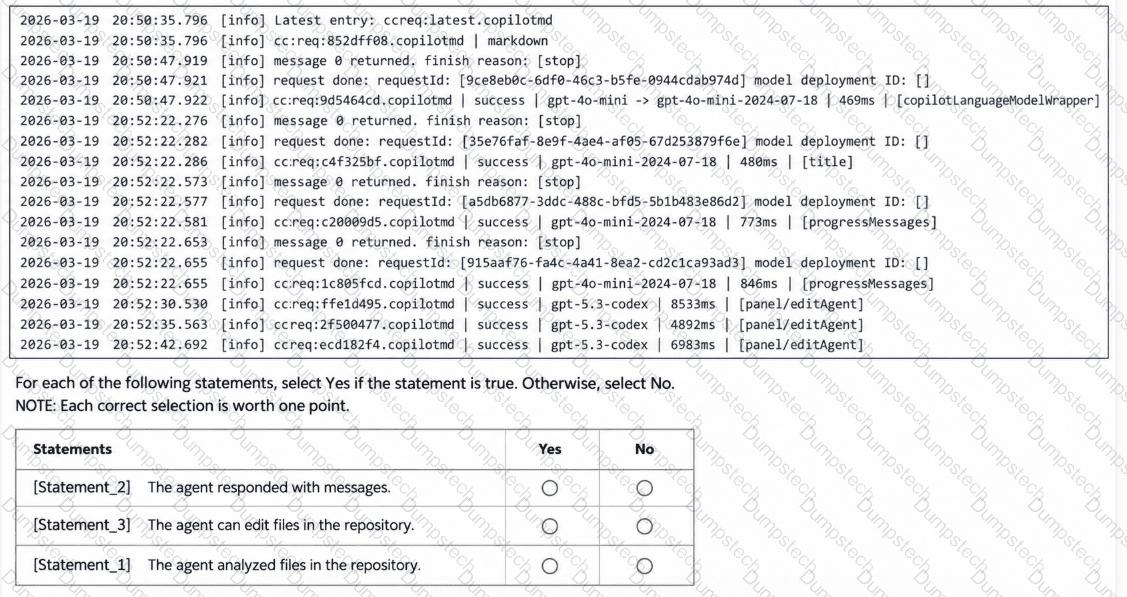
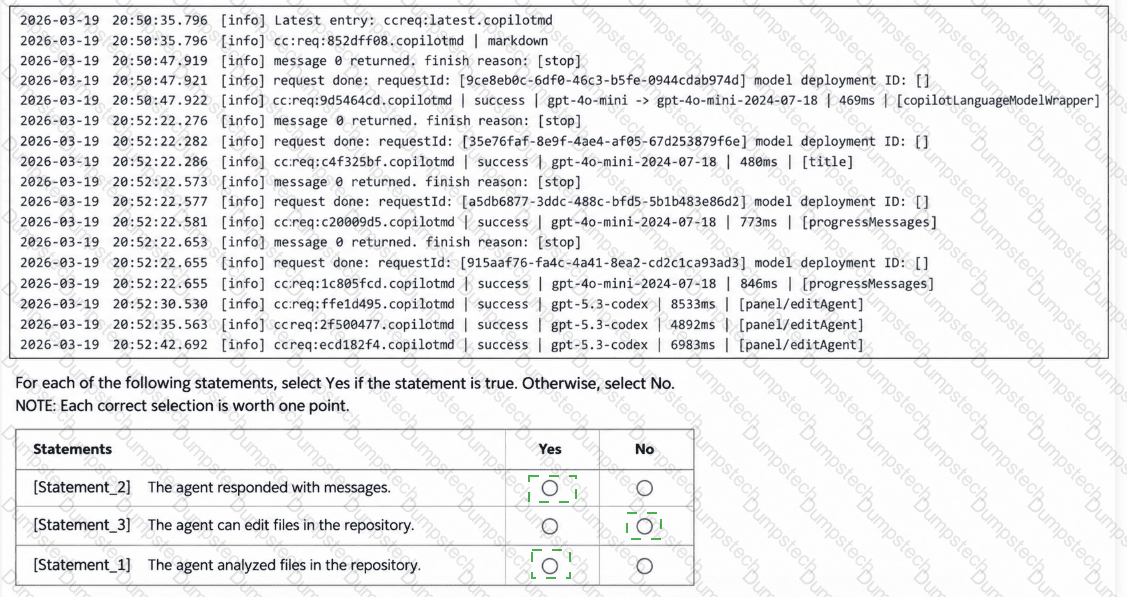
For each of the following statements, select Yes if the statement is true. Otherwise, select No.
NOTE: Each correct selection is worth one point.
You need to configure agent1 to support the planned changes.
What should you do?
You need to provide access to the API key of MCP1. The solution must meet the security requirements.
What should you do?
You need to resolve the issue of the agents generating conflicting output. The solution must meet the implementation guidelines.
What should you do?
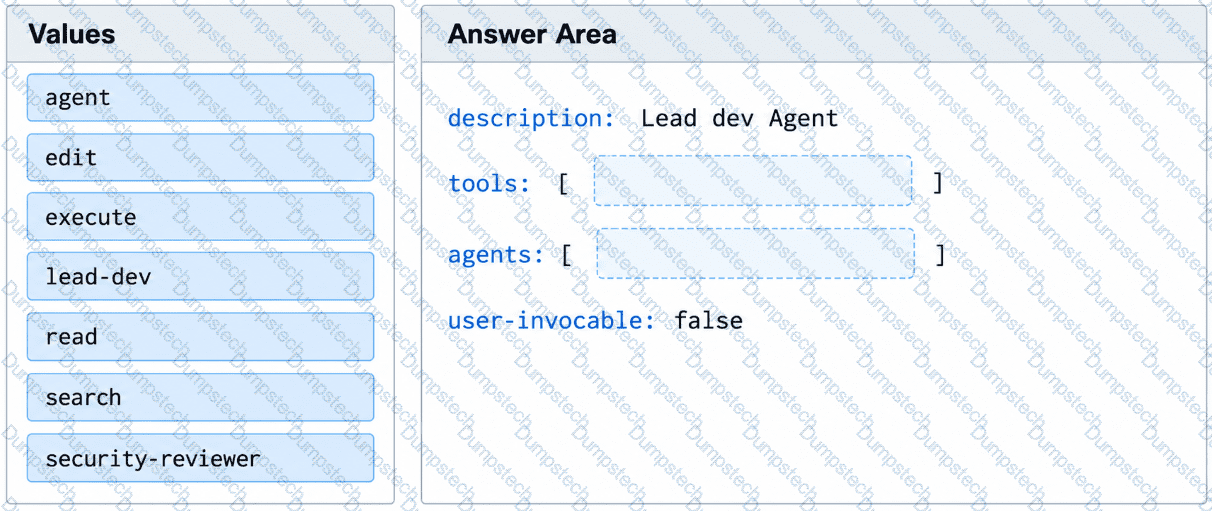
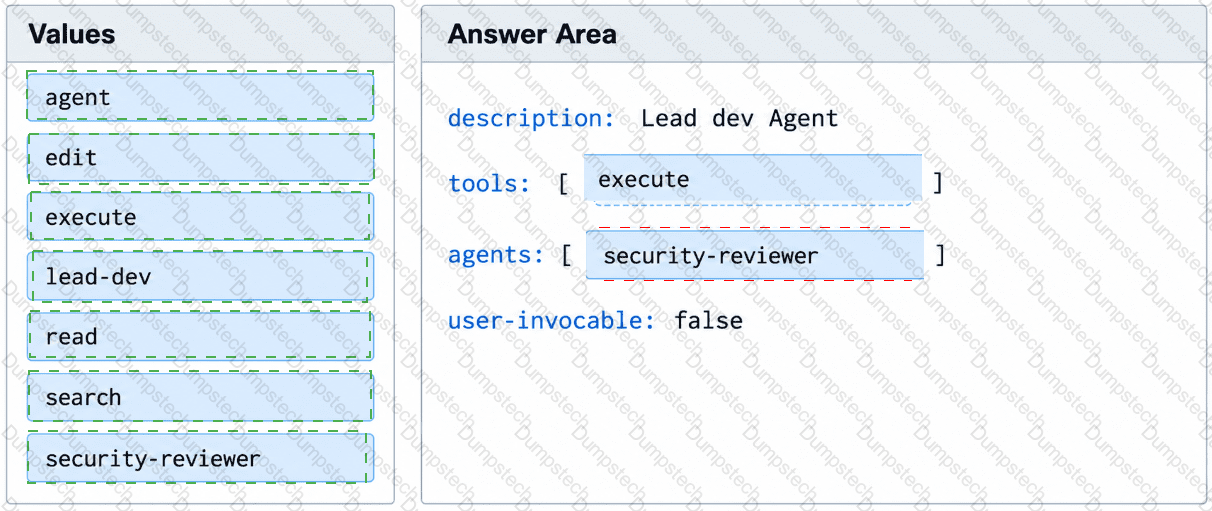
You have a GitHub repository that stores custom GitHub Copilot agents in the .github/agents/ folder.
You have an agent named lead-dev.agent.md that must invoke a specialist subagent named security-reviewer.
Evaluation results show that lead-dev attempts to invoke security-reviewer, but the subagent call fails to run.
You need to ensure that lead-dev can invoke security-reviewer.
How should you complete the YAML frontmatter of the agent profile? To answer, drag the appropriate values to the correct targets.
You have the following agent logs.
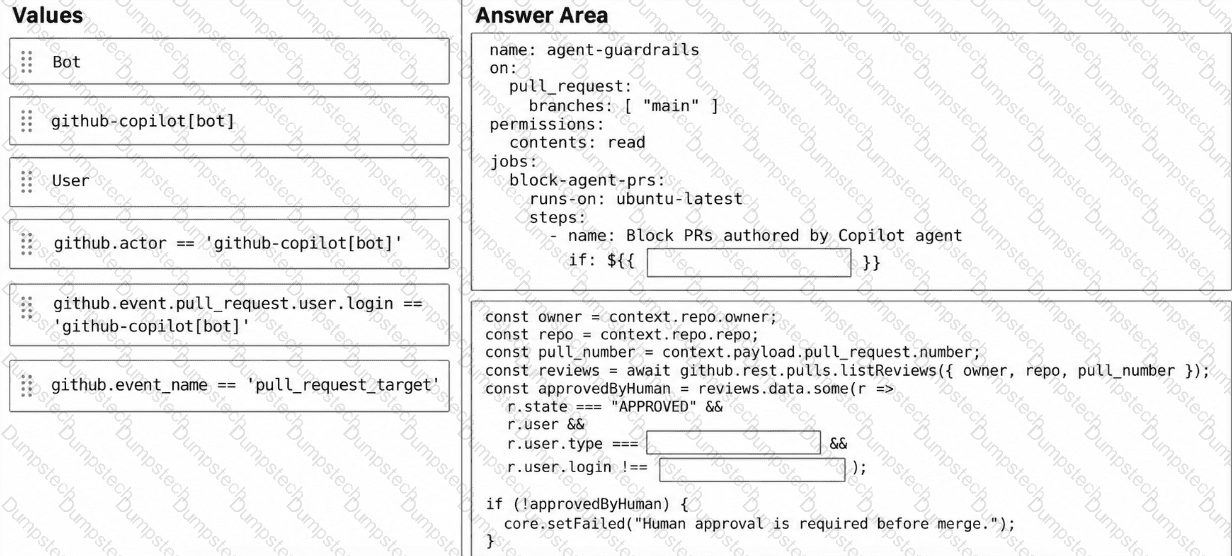
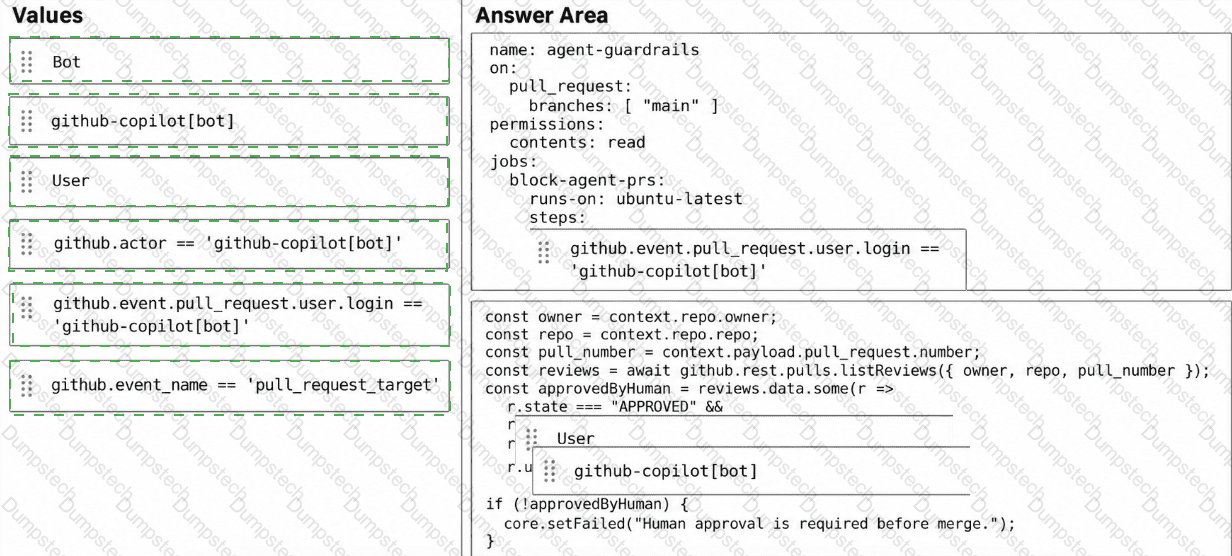
You have a GitHub repository that uses the GitHub Copilot coding agent and GitHub Copilot Chat.
You need to add a GitHub Actions workflow that meets the following requirements:
Blocks merges unless agent changes are reviewed by a human.
Fails if the pull request author is the Copilot coding agent.
How should you complete the workflow? To answer, drag the appropriate values to the correct targets. Each value may be used once, more than once, or not at all. You may need to drag the split bar between panes or scroll to view content.
NOTE: Each correct selection is worth one point.
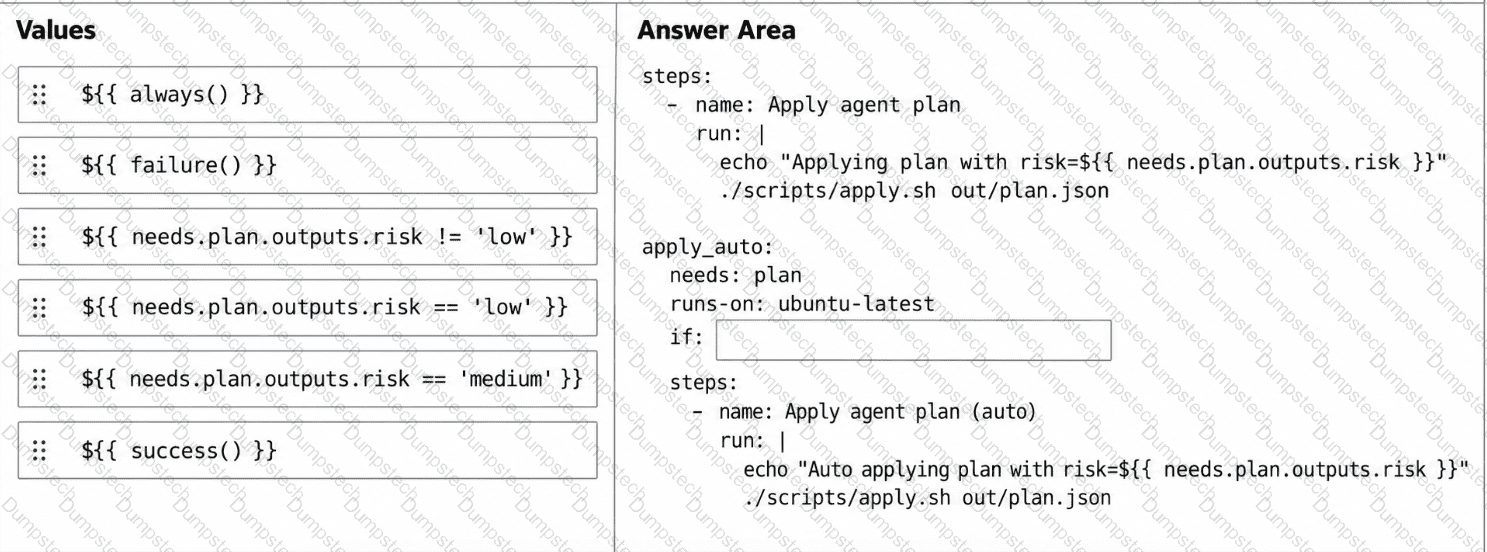
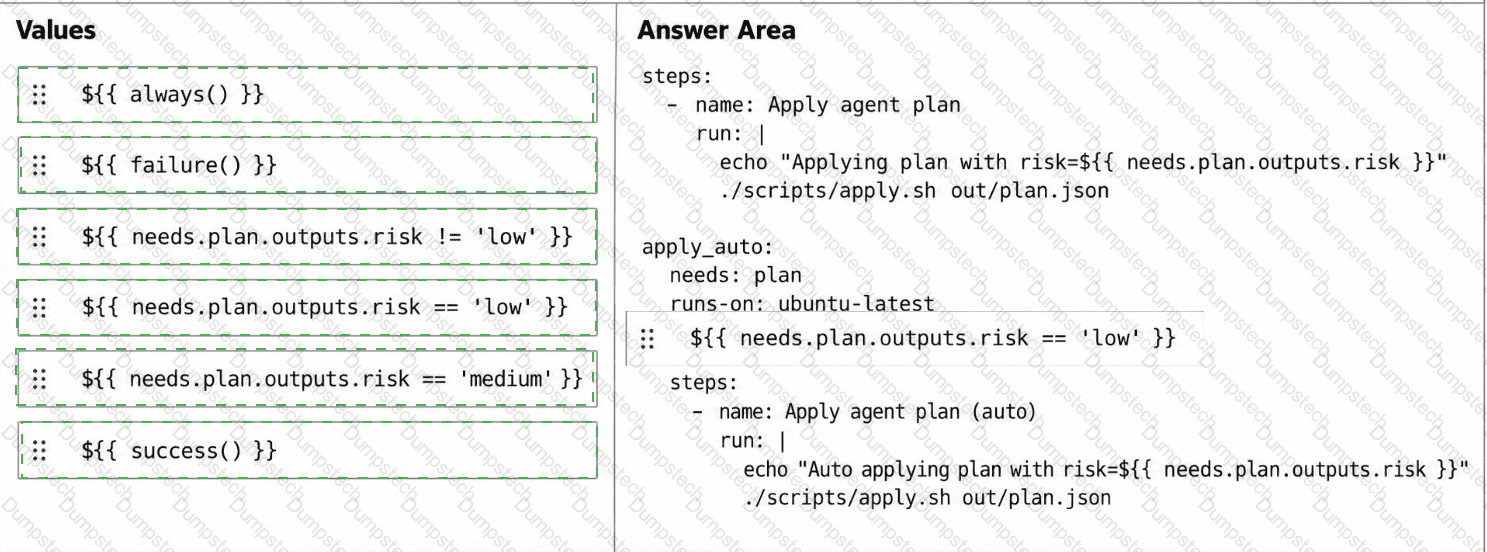
You have a GitHub repository that uses a GitHub Actions workflow to run an agent-driven change plan as part of a CI pipeline. The workflow generates an artifact named plan.json that includes a field named risk. risk has possible values of low, medium, or high.
You need to ensure that a human must confirm the execution of the workflow when risk is medium or high. The workflow must proceed automatically only when risk is low.
How should you complete the workflow? To answer, drag the appropriate values to the correct targets. Each value may be used once, more than once, or not at all. You may need to drag the split bar between panes or scroll to view content.
NOTE: Each correct selection is worth one point.
You have a GitHub repository that contains an agent named Orchestrator. Orchestrator delegates work to the following specialized subagents:
Planner reviews issues and creates a plan of action.
Implementer writes code based on the plan of action.
Reviewer reviews the code.
You create a new agent named Summarizer that produces a concise summary of the work performed by the other agents.
You need to ensure that Orchestrator can invoke Summarizer as part of its workflow.
What should you do?
