
Pre-Winter Sale Limited Time 75% Discount Offer - Ends in 0d 00h 00m 00s - Coupon code = simple75
Pass the Microsoft 365 Certified: Enterprise Administrator Expert MS-102 Questions and answers with Dumpstech
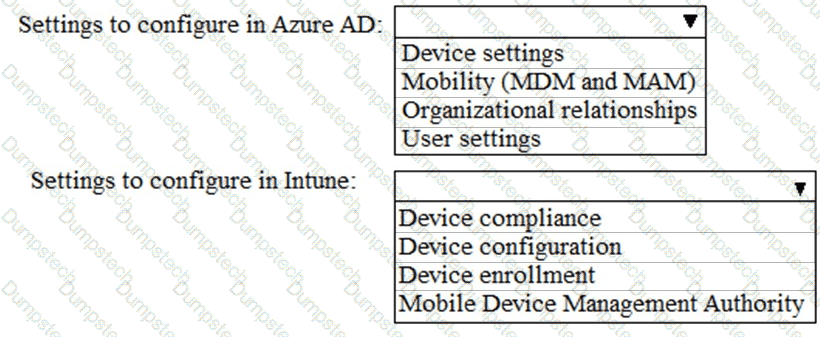
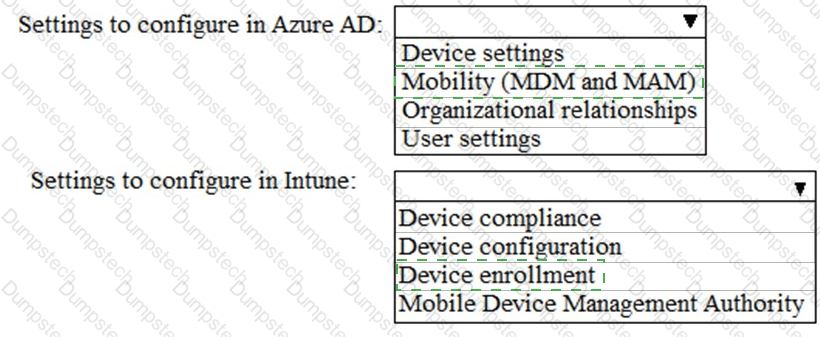
You need to meet the Intune requirements for the Windows 10 devices.
What should you do? To answer, select the appropriate options in the answer area.
NOTE: Each correct selection is worth one point.
You need to ensure that the support technicians can meet the technical requirement for the Montreal office mobile devices.
What is the minimum of dedicated support technicians required?
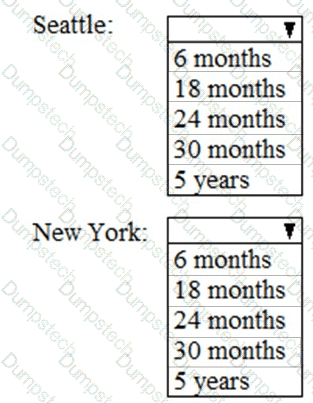
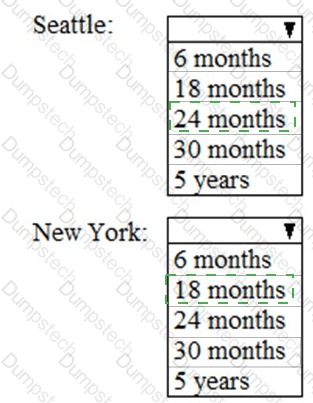
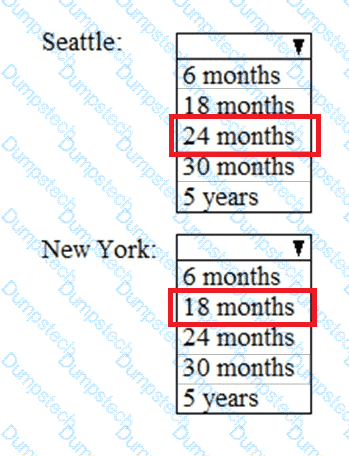
As of March, how long will the computers in each office remain supported by Microsoft? To answer, select the appropriate options in the answer area.
NOTE: Each correct selection is worth one point.
On which server should you install the Azure ATP sensor?
Your company has a Microsoft 365 subscription that uses an Microsoft Entra tenant named contoso.com. The tenant contains the users shown in the following table.

You create a retention label named Label 1 that has the following configurations:
• Retains content for five years
• Automatically deletes all content that is older than five years
You turn on Auto labeling for Label1 by using a policy named Policy1. Policy1 has the following configurations:
• Applies to content that contains the word Merger
• Specifies the OneDrive accounts and SharePoint sites locations
You run the following command.
Set-RetentionConpliancePolicy Policy1 -RestrictiveRetention Strue -Force
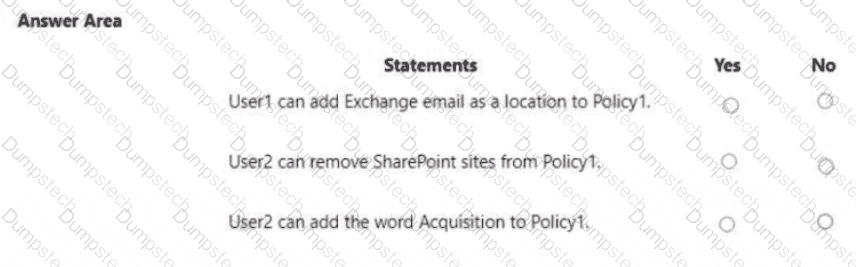
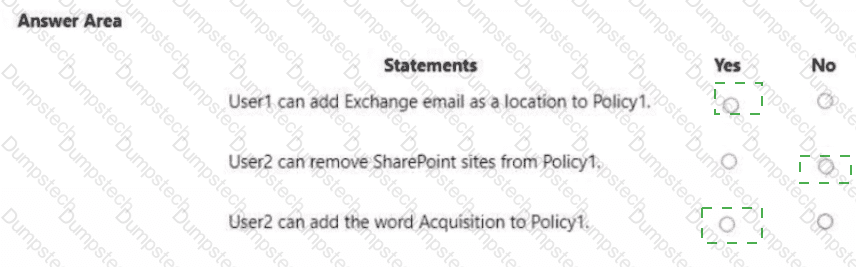
For each of the following statements, select Yes if the statement is true. Otherwise, select No.
NOTE: Each correct selection is worth one point.
You have a Microsoft 365 E5 tenant.
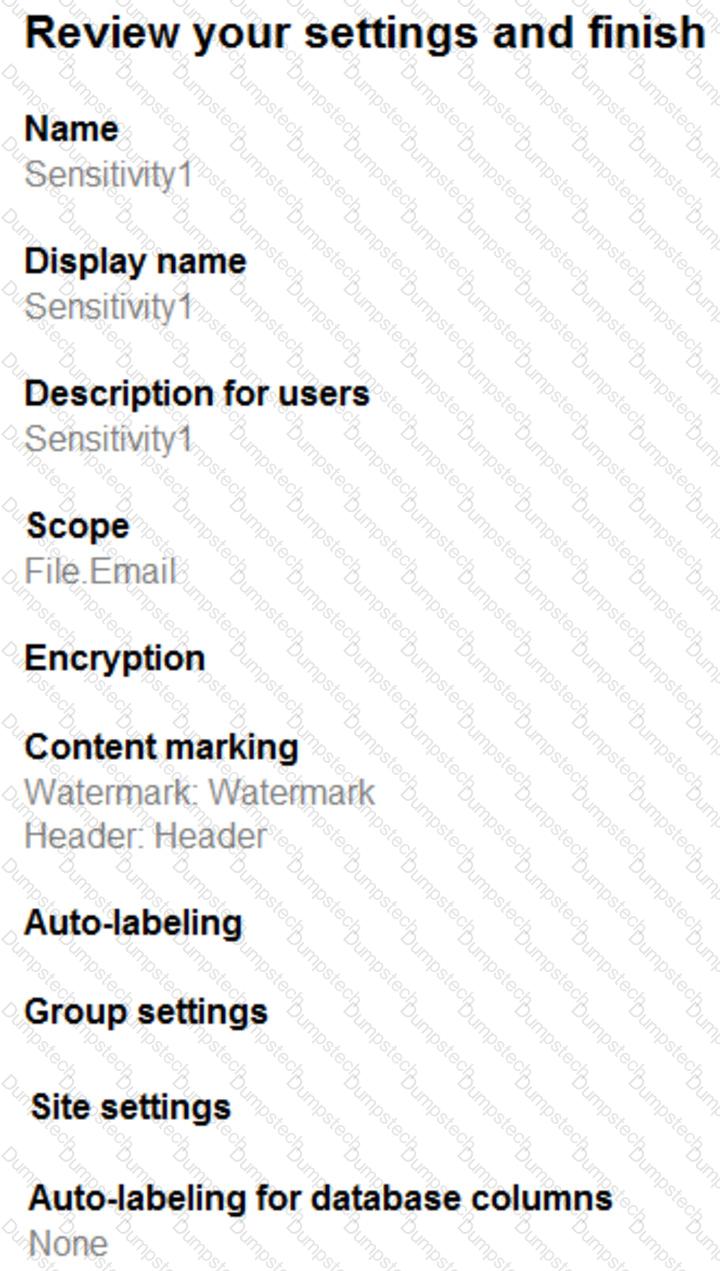
You have a sensitivity label configured as shown in the Sensitivity label exhibit. (Click the Sensitivity label tab.)
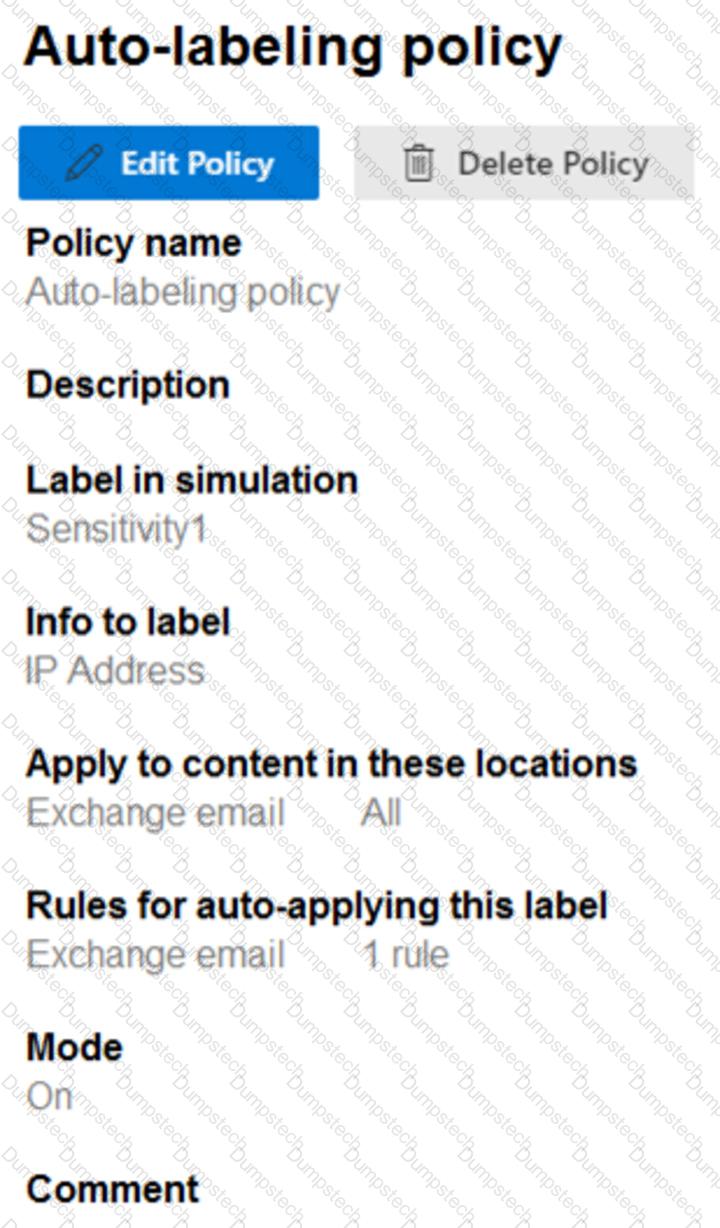
You have an auto-labeling policy as shown in the Auto-labeling policy exhibit. (Click the Auto-labeling policy tab.)
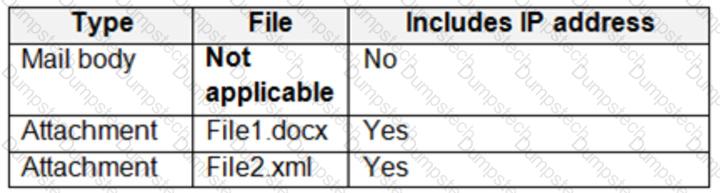
A user sends an email that contains the components shown in the following table.
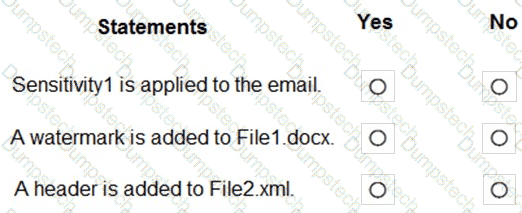
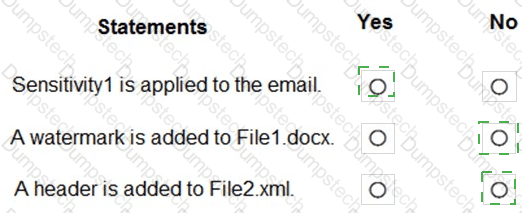
For each of the following statements, select Yes if the statement is true. Otherwise, select No.
NOTE: Each correct selection is worth one point.
Youi network contains an Active Directory domain.
You have a Microsoft Entra tenant that has Security defaults disabled.
Microsoft Entra Connect Sync is configured for directory synchronization. Password hash synchronization and pass-through authentication are disabled.
You need to enable Microsoft Entra ID Protection to detect leaked credentials.
What should you do first?
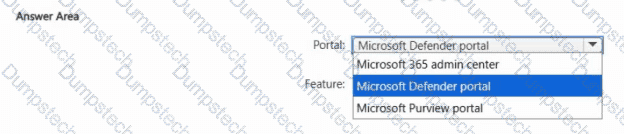
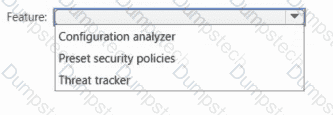
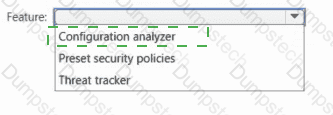
You have a Microsoft 365 subscription that uses Microsoft Defender for Office 365.
You need to identify the settings that are configured less secure than the Standard protection profile settings in the preset security policies.
What should you use? To answer, select the appropriate options in the answer area.
NOTE: Each correct selection is worth one point.
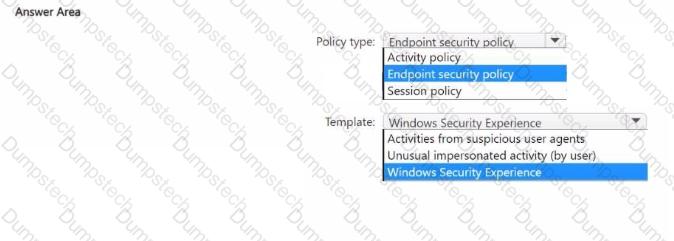
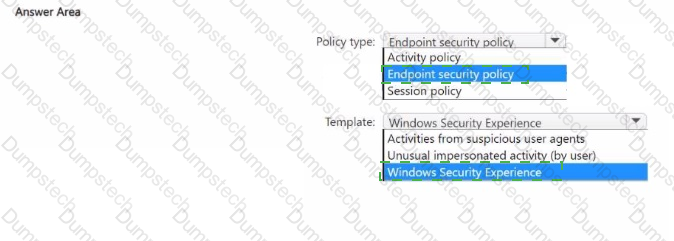
You have a Microsoft 365 E5 subscription and use Microsoft Defender for Endpoint. The subscription contains Windows 11 devices.
You need to create a policy to restrict users from accessing the Device security settings and the Account protection settings in Windows Defender Security Center on the devices.
Which type of policy should you create, and which template should you use? To answer, select the appropriate options in the answer area.
NOTE: Each correct selection is worth one point.
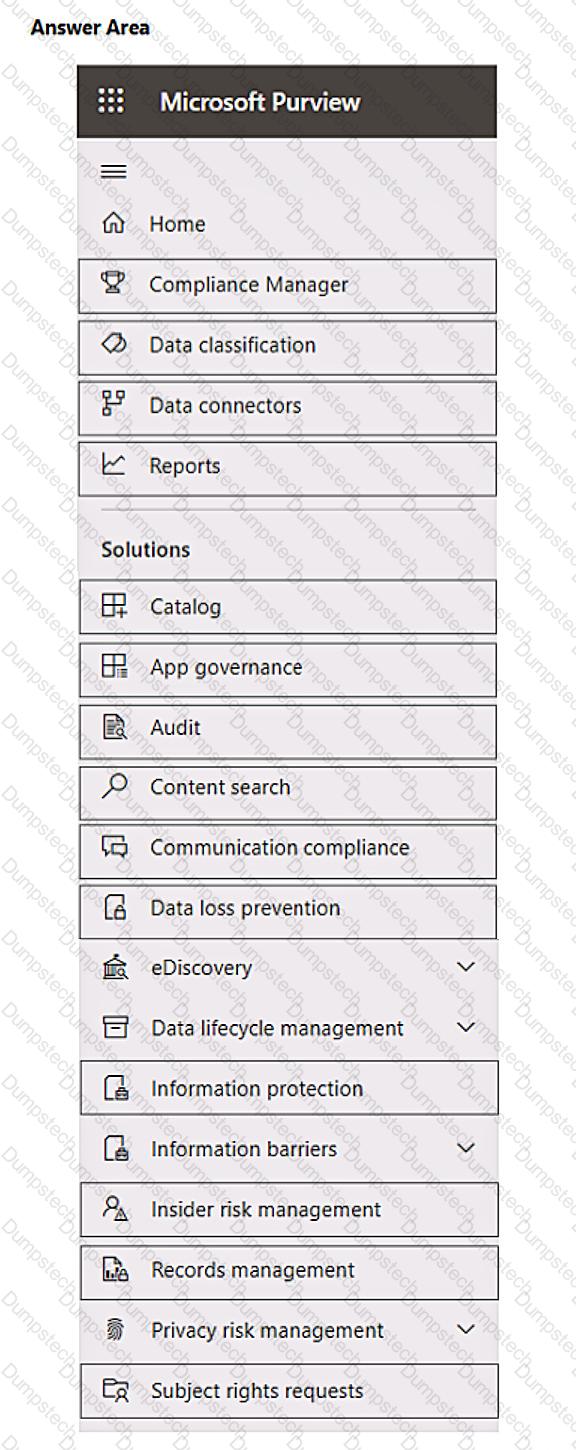
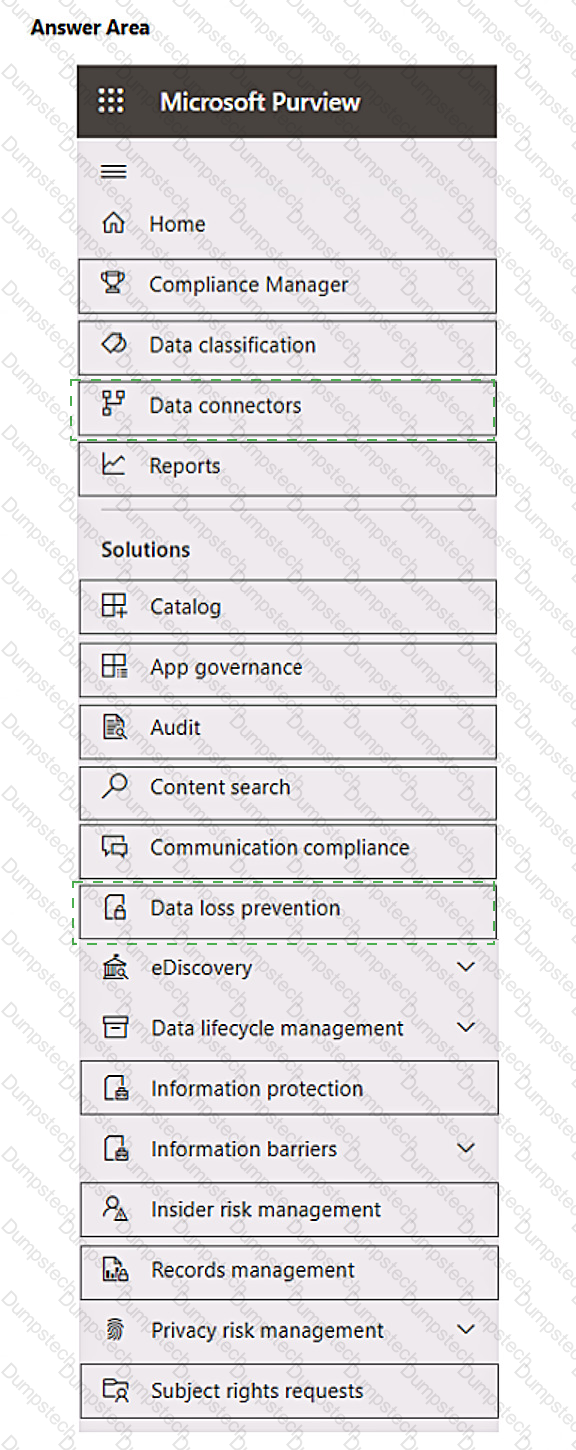
You have a Microsoft 365 E5 subscription that contains a Microsoft SharePoint site named Sitel. You need to perform the following tasks:
• Create a sensitive info type named SIT1 based on a regular expression.
• Add a watermark to all new documents that are matched by SIT1.
Which two settings should you use in the Microsoft Purview compliance portal? To answer, select the appropriate settings in the answer area.
NOTE: Each correct selection is worth one point.
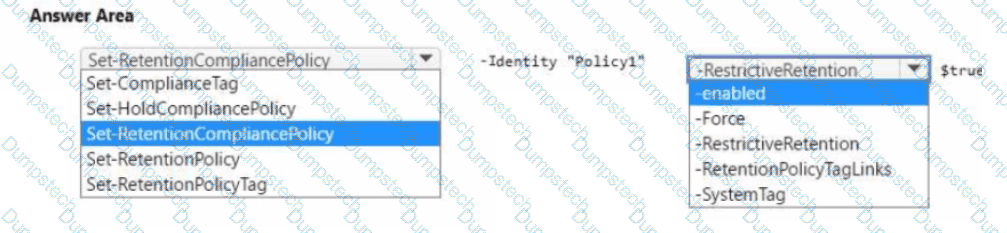
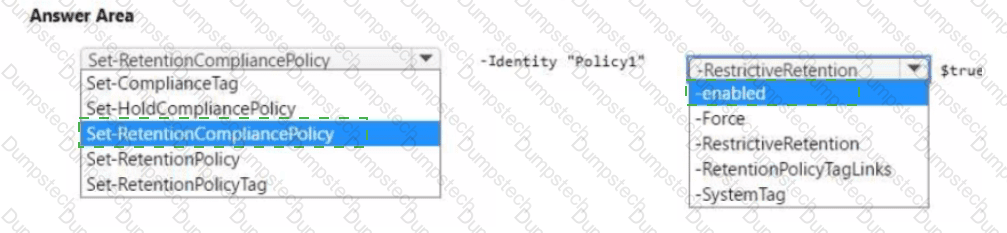
From the Microsoft Purview compliance portal, you create a retention policy named Policy 1.
You need to prevent all users from disabling the policy or reducing the retention period.
How should you configure the Azure PowerShell command? To answer select the appropriate options in the answer area.
NOTE: Each correct selection is worth one point.
You have a Microsoft 365 E5 subscription.
You have an Microsoft Entra tenant named contoso.com that contains the following users:
• Admin1
• Admin2
• User1
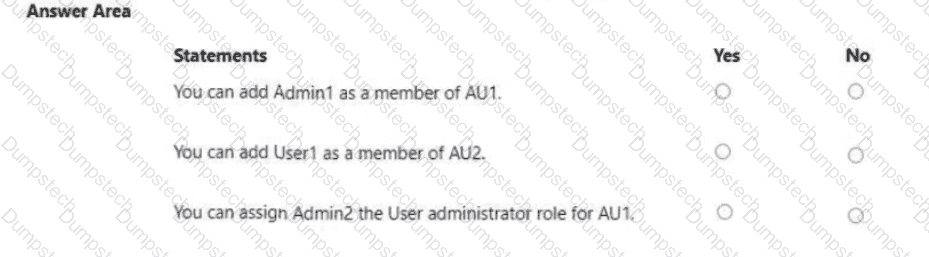
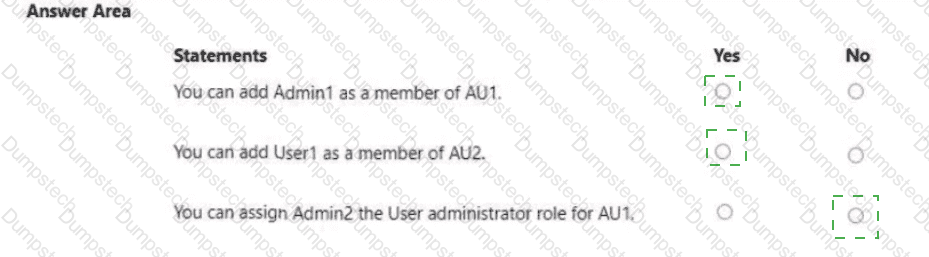
Contoso.com contains an administrative unit named AIM that has no role assignments. User1 is a member of AU1. You create an administrative unit named AU2 that does NOT have any members or role assignments. For each of the following statements, select Yes if the statement is true. Otherwise, select No.
NOTE: Each correct selection is worth one point.
You have a Microsoft 365 tenant.
Company policy requires that all Windows 10 devices meet the following minimum requirements:
Require complex passwords.
Require the encryption of data storage devices.
Have Microsoft Defender Antivirus real-time protection enabled.
You need to prevent devices that do not meet the requirements from accessing resources in the tenant.
Which two components should you create? Each correct answer presents part of the solution.
NOTE: Each correct selection is worth one point.
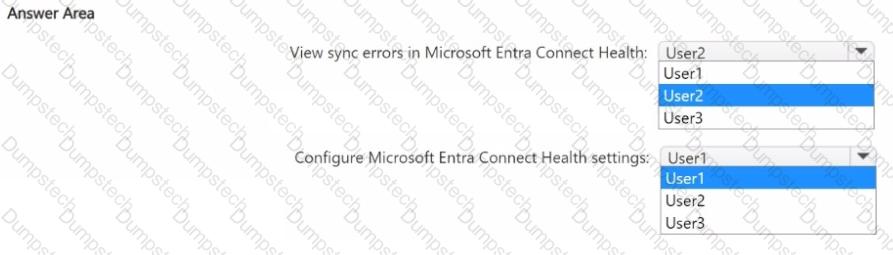
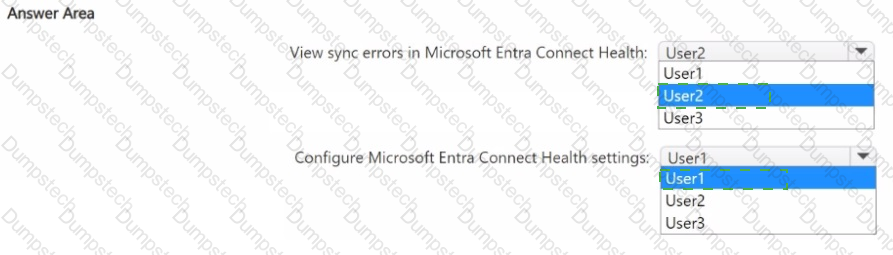
You have a hybrid deployment of Microsoft Entra that contains the users shown in the following table.
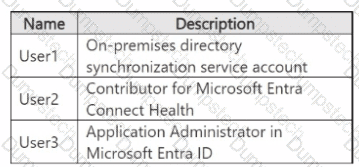
You need to identify which users can perform the following tasks:
• View sync errors in Microsoft Entra Connect Health.
• Configure Microsoft Entra Connect Health settings.
Which user should you identify for each task? To answer, select the appropriate options in the answer area. NOTE: Each correct selection is worth one point.
You have a Microsoft 365 E5 subscription.
You onboard all devices to Microsoft Defender for Endpoint
You need to use Defender for Endpoint to block access to a malicious website at www.contoso.com.
Which two actions should you perform? Each correct answer presents part of the solution.
NOTE: Each correct answer is worth one point.
