
Pre-Winter Sale Limited Time 75% Discount Offer - Ends in 0d 00h 00m 00s - Coupon code = simple75
Pass the Microsoft 365 Certified: Enterprise Administrator Expert MS-102 Questions and answers with Dumpstech
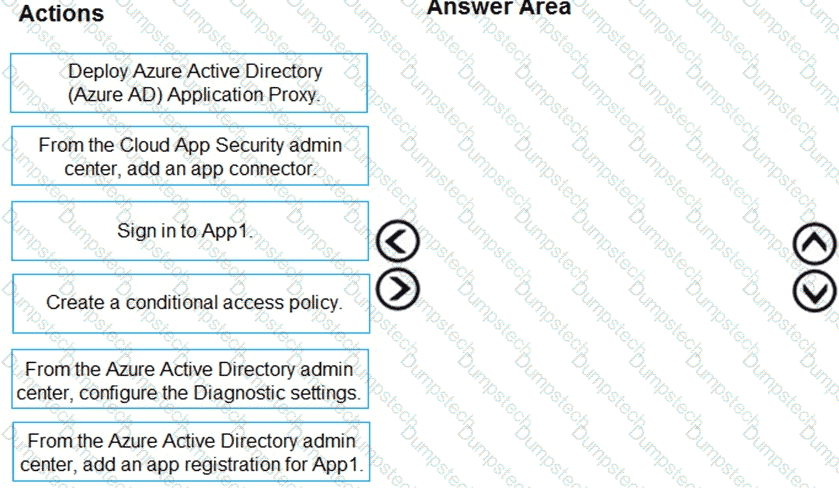
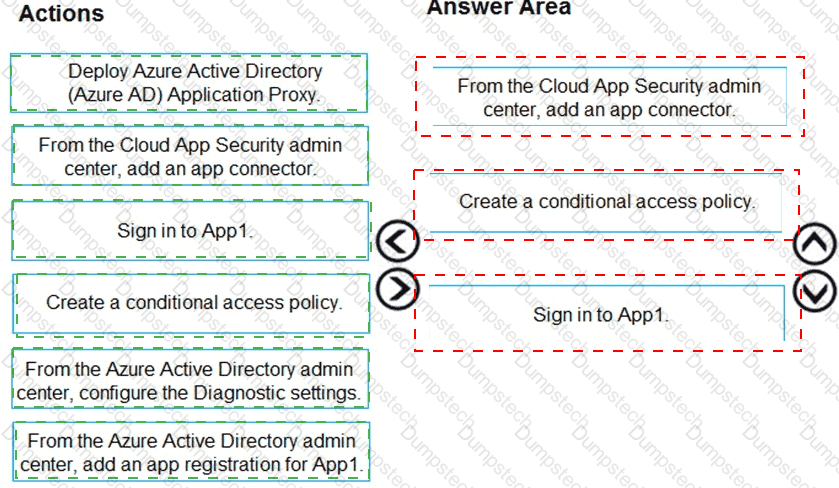
Your company purchases a cloud app named App1.
You need to ensure that you can use Microsoft Cloud App Security to block downloads in App1. App1 supports session controls.
Which three actions should you perform in sequence? To answer, move the appropriate actions from the list of actions to the answer area and arrange them in the correct order.
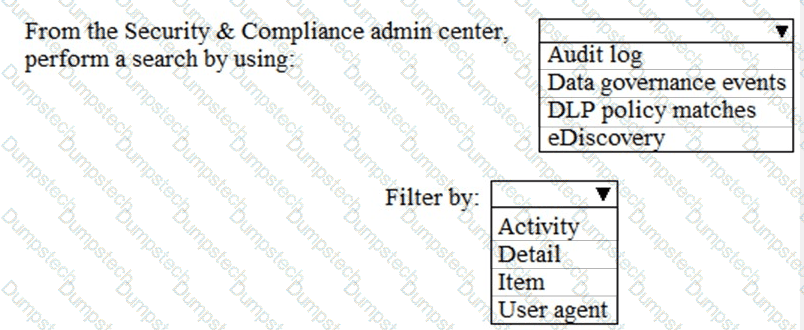
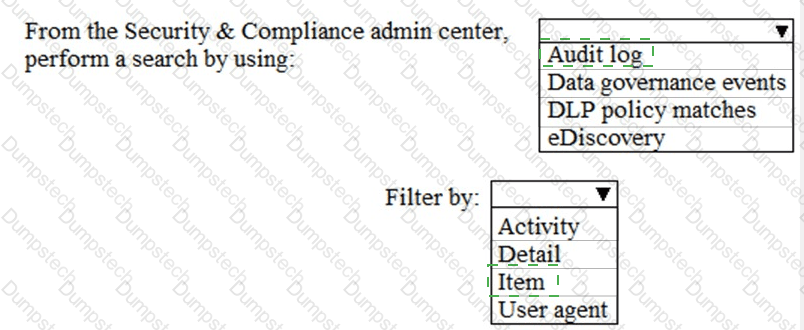
You have a Microsoft 365 subscription.
You need to identify which administrative users performed eDiscovery searches during the past week.
What should you do from the Security & Compliance admin center?
HOTSPOT
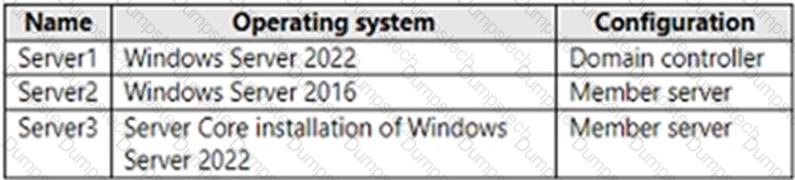
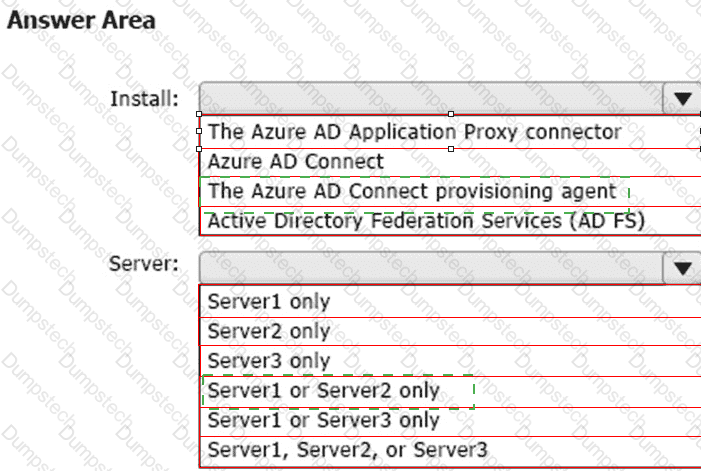
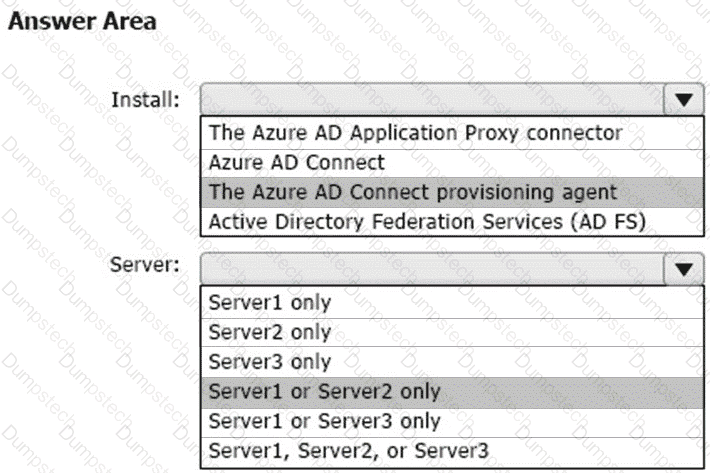
Your network contains an on-premises Active Directory domain. The domain contains the servers shown in the following table.
You purchase a Microsoft 365 E5 subscription.
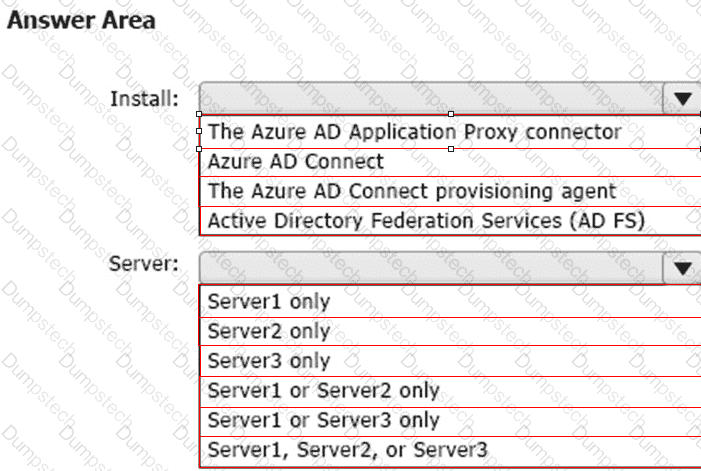
You need to implement Microsoft Entra Cloud Sync.
What should you install first and on which server? To answer, select the appropriate options in the answer area.
NOTE: Each correct selection is worth one point.
You need to meet the technical requirement for the EU PII data.
What should you create?
You need to meet the technical requirement for the SharePoint administrator. What should you do? To answer, select the appropriate options in the answer area. NOTE: Each correct selection is worth one point.
You need to meet the technical requirement for large-volume document retrieval. What should you create?
Which report should the New York office auditors view?
You need to recommend a solution for the security administrator. The solution must meet the technical requirements.
What should you include in the recommendation?
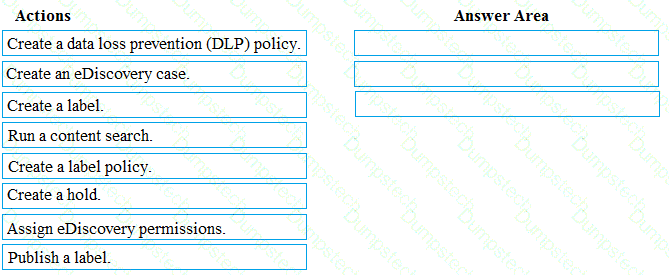
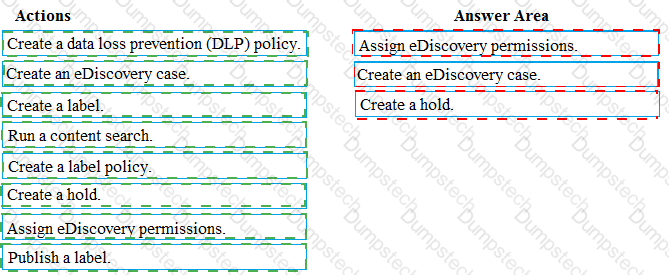
You need to meet the requirement for the legal department.
Which three actions should you perform in sequence from the Security & Compliance admin center? To answer, move the appropriate actions from the list of actions to the answer area and arrange them in the correct order.
You need to protect the U.S. PII data to meet the technical requirements.
What should you create?
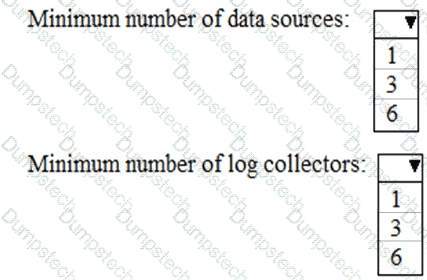
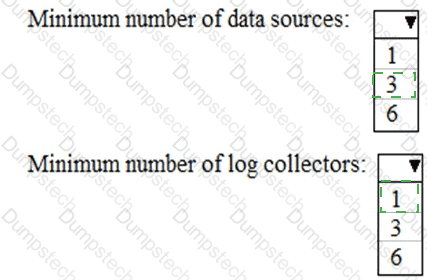
You need to meet the technical requirement for log analysis.
What is the minimum number of data sources and log collectors you should create from Microsoft Cloud App Security? To answer, select the appropriate options in the answer area.
NOTE: Each correct selection is worth one point.
You need to configure Office on the web to meet the technical requirements.
What should you do?
You need to create the Safe Attachments policy to meet the technical requirements.
Which option should you select?
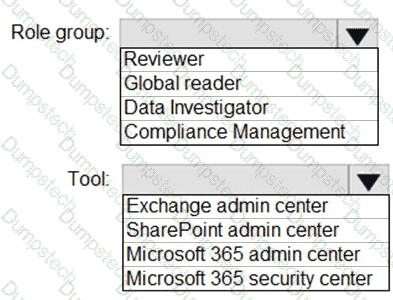
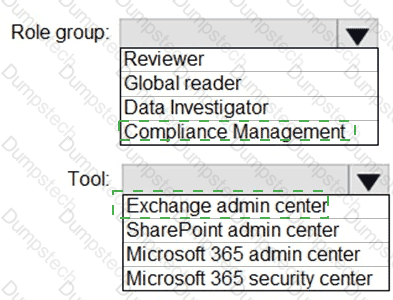
You need to ensure that User2 can review the audit logs. The solutions must meet the technical requirements.
To which role group should you add User2, and what should you use? To answer, select the appropriate options in the answer area.
NOTE: Each correct selection is worth one point.
You need to create the DLP policy to meet the technical requirements.
What should you configure first?
