Summer Sale Limited Time 75% Discount Offer - Ends in 0d 00h 00m 00s - Coupon code = simple75

Pass the Microsoft 365 Certified: Enterprise Administrator Expert MS-102 Questions and answers with Dumpstech

Exam MS-102 Premium Access

View all detail and faqs for the MS-102 exam

Practice at least 50% of the questions to maximize your chances of passing.
Viewing page 12 out of 13 pages
Viewing questions 111-120 out of questions
Questions # 111:

Your company has on-premises servers and an Microsoft Entra tenant.

Several months ago, the Microsoft Entra Connect Health agent was installed on all the servers.

You review the health status of all the servers regularly.

Recently, you attempted to view the health status of a server named Server1 and discovered that the server is NOT listed on the Microsoft Entra Connect Sync Servers list.

You suspect that another administrator removed Server1 from the list.

You need to ensure that you can view the health status of Server1.

What are two possible ways to achieve the goal? Each correct answer presents a complete solution.

NOTE: Each correct selection is worth one point.

Options:

A.

From Azure Cloud shell, run the Connect-Microsoft Entra ID cmdlet.

B.

From Server1, change the Microsoft Entra Connect Health Services Startup type to Automatic (Delayed Start)

C.

From Server1, change the Microsoft Entra Connect Health Services Startup type to Automatic

D.

From Windows PowerShell, run the Rejister-ArureADConnectHealthsyncAgent cmdlet.

E.

From Server1, reinstall the Microsoft Entra Connect Health agent

Questions # 112:

You have a Microsoft 365 E5 subscription.

You need to create Conditional Access policies to meet the following requirements:

All users must use multi-factor authentication (MFA) when they sign in from outside the corporate network.

Users must only be able to sign in from outside the corporate network if the sign-in originates from a compliant device.

All users must be blocked from signing in from outside the United States and Canada.

Only users in the R & D department must be blocked from signing in from both Android and iOS devices.

Only users in the finance department must be able to sign in to an Microsoft Entra ID enterprise application named App1. All other users must be blocked from signing in to App1.

What is the minimum number of Conditional Access policies you should create?

Options:

A.

3

B.

4

C.

5

D.

6

E.

7

F.

8

Questions # 113:

You have a Microsoft 365 subscription that uses a third-party multifactor authentication (MFA) product.

While reviewing Microsoft Secure Score, you discover that there are no points listed for the Ensure multifactor authentication is enabled for all users recommendation.

You need to ensure that you receive all the points for the recommendation. The solution must minimize administrative effort.

What should you do?

Options:

A.

Configure a data connector.

B.

Modify the recommendation tags.

C.

Deploy a Microsoft Defender for Identity sensor.

D.

Modify the status of the recommendation.

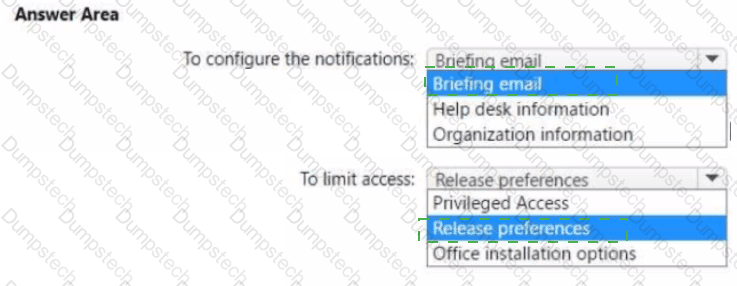
Questions # 114:

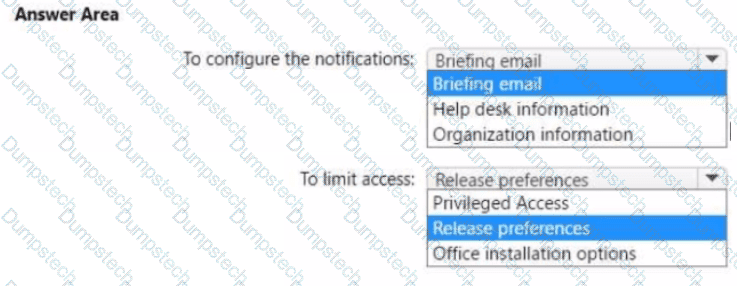
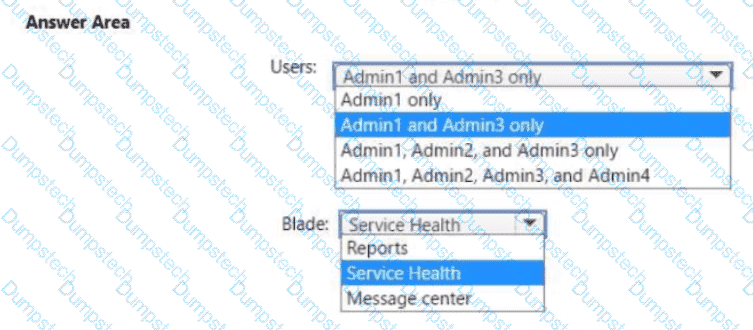
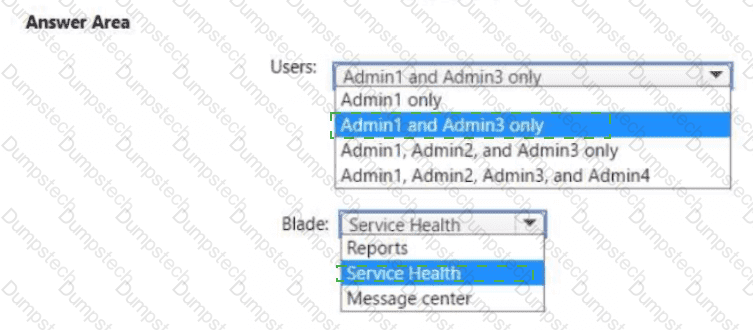
You have a Microsoft 365 subscription that contains two groups named Group1 and Group2.

You need to configure tenant notifications to meet the following requirements:

    Group1: Receive email notifications when major service updates occur.

    Group2: Receive email alerts when Microsoft 365 maintenance events occur.

Which type of notification should you configure for each group?

Question # 114

Options:

Questions # 115:

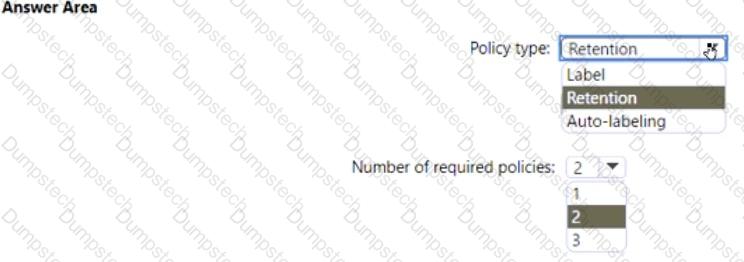
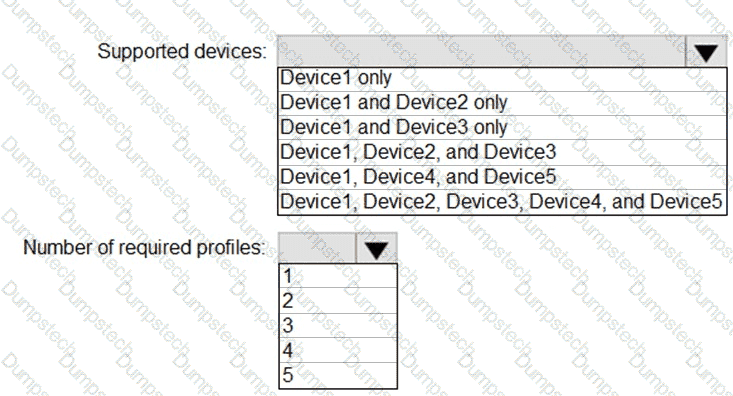
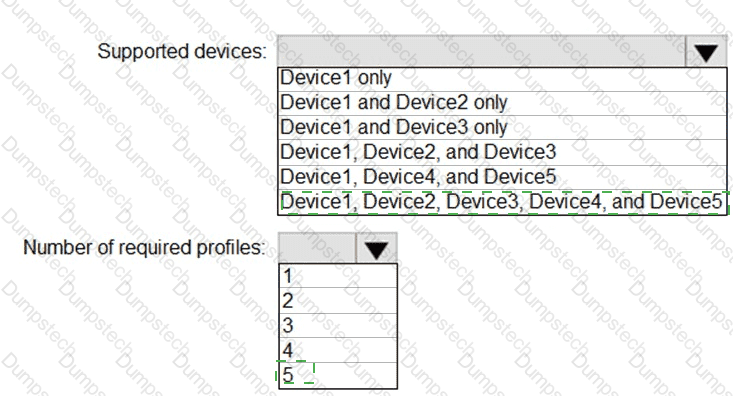
You plan to implement the endpoint protection device configuration profiles to support the planned changes.

You need to identify which devices will be supported, and how many profiles you should implement.

What should you identify? To answer, select the appropriate options in the answer area.

NOTE: Each correct selection is worth one point.
Question # 115

Options:

Questions # 116:

You need to configure Office on the web to meet the technical requirements.

What should you do?

Options:

A.

Assign the Global reader role to User1.

B.

Enable sensitivity labels for Office files in SharePoint Online and OneDrive.

C.

Configure an auto-labeling policy to apply the sensitivity labels.

D.

Assign the Office apps admin role to User1.

Questions # 117:

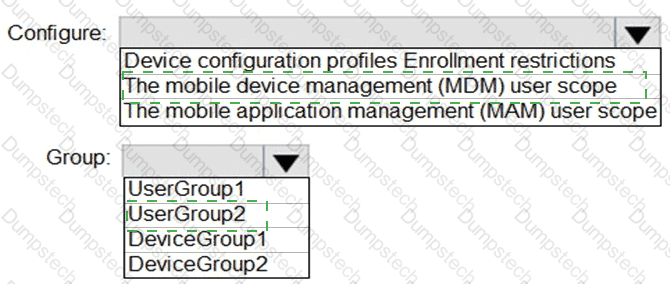
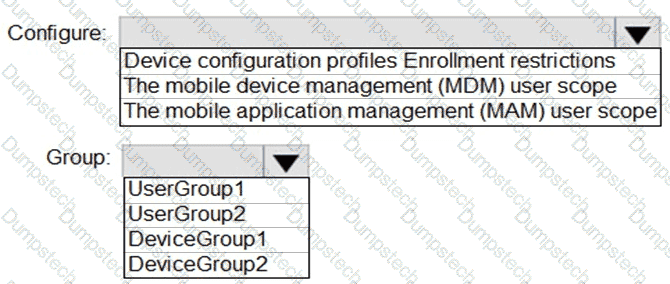
You need to configure automatic enrollment in Intune. The solution must meet the technical requirements.

What should you configure, and to which group should you assign the configurations? To answer, select the appropriate options in the answer area.

NOTE: Each correct selection is worth one point.
Question # 117

Options:

Questions # 118:

You create the planned DLP policies.

You need to configure notifications to meet the technical requirements.

What should you do?

Options:

A.

From the Microsoft 365 security center, configure an alert policy.

B.

From the Microsoft Endpoint Manager admin center, configure a custom notification.

C.

From the Microsoft 365 admin center, configure a Briefing email.

D.

From the Microsoft 365 compliance center, configure the Endpoint DLP settings.

Questions # 119:

You need to create the Safe Attachments policy to meet the technical requirements.

Which option should you select?

Options:

A.

Replace

B.

Enable redirect

C.

Block

D.

Dynamic Delivery

Questions # 120:

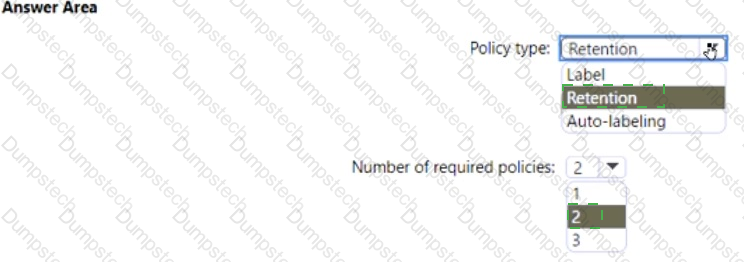
You need to ensure that User2 can review the audit logs. The solutions must meet the technical requirements.

To which role group should you add User2, and what should you use? To answer, select the appropriate options in the answer area.

NOTE: Each correct selection is worth one point.
Question # 120

Options:

Viewing page 12 out of 13 pages
Viewing questions 111-120 out of questions